
Descargar la aplicación


Soporte al cliente

Desert Online General Trading LLC
Warehouse # 7, 4th Street, Umm Ramool, Dubai, 30183, Dubai
Descargar la aplicación
Soporte al cliente
Desert Online General Trading LLC
Warehouse # 7, 4th Street, Umm Ramool, Dubai, 30183, Dubai


🚀 Elevate your workflow with power, precision, and style.
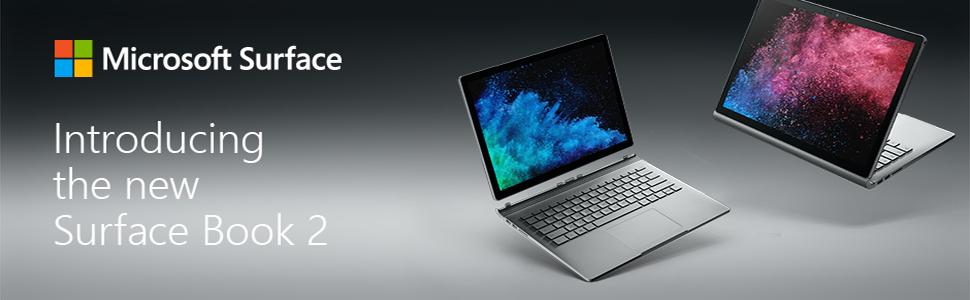
The Microsoft Surface Book 2 15" combines a powerful 8th Gen Intel Core i7 processor, 16GB RAM, and a dedicated NVIDIA GTX 1060 GPU to deliver exceptional performance for professionals. Its vibrant PixelSense touchscreen with ultra-high resolution and versatile modes makes it a top-tier laptop for creative and managerial millennials seeking both productivity and sleek design.


| Standing screen display size | 15 Inches |
| Screen Resolution | 2560 x 1600 pixels |
| Max Screen Resolution | 3260x2160 Pixels |
| Processor | 4.2 GHz core_i7_8650u |
| RAM | 16 GB LPDDR3 |
| Memory Speed | 1866 MHz |
| Hard Drive | 256 GB SSD |
| Graphics Coprocessor | NVIDIA GeForce GTX 1060 |
| Chipset Brand | NVIDIA |
| Card Description | Dedicated |
| Graphics Card Ram Size | 6 GB |
| Wireless Type | 802.11abg |
| Number of USB 2.0 Ports | 1 |
| Number of USB 3.0 Ports | 2 |
| Average Battery Life (in hours) | 1 Hours |
| Brand | Microsoft |
| Series | Microsoft Surface Book |
| Item model number | HNR-00001 |
| Hardware Platform | PC |
| Operating System | Windows 10 Pro |
| Item Weight | 2.38 pounds |
| Product Dimensions | 13.5 x 9.87 x 0.9 inches |
| Item Dimensions LxWxH | 13.5 x 9.87 x 0.9 inches |
| Color | Silver |
| Rear Webcam Resolution | 8 MP |
| Processor Brand | Intel |
| Number of Processors | 4 |
| Computer Memory Type | GDDR5 |
| Flash Memory Size | 256 |
| Hard Drive Interface | USB 3.0 |
| Hard Drive Rotational Speed | 1 |
| Voltage | 240 Volts |
| Batteries | 1 Lithium Polymer batteries required. (included) |
A**R
Great Computer- Highly Recommended
I purchased the 13.5in Surface Book 2 with the i5 processor this January 2019 because my old computer broke and I was looking for an upgrade. I am a current business student going into my senior year, so I was really looking for a computer that would sustain the transition from business school into my professional field. The price here on Amazon ($1,320) is the cheapest price that I found after shopping around. In my information search I went to the Windows Store and the sales representative agreed that the Amazon price is pretty much as good as it gets. The style is very sleek and modern with the metal keyboard and the accordion hinge. I like that you can detach the tablet portion and turn it around to use it as a tablet. In tablet mode you can take notes for class, or you can use that mode to prop up the tablet for entertainment. The materials are good quality and you can feel that the computer will be long lasting. The only critique I have is that the back of the tablet scratches easily, however I am planning to get a case so that is not that big of an issue. I was looking for a lot of specific features in my computer. I was looking for a long battery life, a touchscreen, and a powerful processor; the Surface Book 2 checks all of those boxes. The Surface Book 2 actually has two batteries, one in the keyboard and one in the tablet portion making the battery very long lasting. The battery can last the entire day without charging with consistent heavy usage. The touchscreen is very responsive and the entire tablet component detaches and turns into a full tablet witch is very useful. The processor is very powerful and I am able to run multiple programs at the same time without any lag. In addition, I have found that it runs video games very well even with applications still running in the background. This product is great for people looking for a strong and versatile computer that can really do it all. I would highly recommend this product to students and professionals.
D**S
An awesome machine but mine had some problems.
I used the machine for approximately 3 weeks and as completely happy and in love with it that I was, all of a sudden my GPU started crashing and one of my main programs I use that heavily uses the GPU would crash as well. I have returned the machine and am really hesitant to order another one because if this happens again, I will be putting Amazon out with this inconvenience of returning it again and they wont like that I am sure. I am really disappointed as I know this is the perfect laptop for me, but I have never had this problem happen after owning many many high end machines. I'm just wondering if anyone else has had this problem. Basically what happens is that all of a sudden I hear the windows sound that something has been unplugged, and I look in the device manager and it only shows my Intel integrated graphics. I then have to restart the machine so the GPU will reinstall. I spent a good hour to an hour and a half with Surface support who couldn't figure it out either so who knows what was wrong with the machine. Amazon was wonderful through a few issues I had as well with the machine as it came with a faulty charger that had to be replaced via Amazon sending me a whole new machine because my current machine was not charging correctly when using the charger it came with. Lightening struck twice with the machine but I understand it is probably isolated because I cant find anyone who has had the problem I have had and the huge majority of those who bought this machine are thrilled with it so I know it is a great machine. Although I am really frustrated at how this all turned out, I am happy I purchased it from Amazon because they have always done the right thing and I am so pleased with their professionalism, their attentiveness to my needs, and they always want to make sure I am completely happy. I just hope I don't have to return another one if I get another one! I did not write this to discourage anyone from buying the product. I have owned several Surface products and love them so much, Microsoft and a few writers wrote articles about how I used the Surface Pro 4 when I had one so I love the brand. The Surface Book 2 is a great product and massively powerful. I just want others to know what happened with my system in case anyone else has the same thing happen to them. And I am confident if anyone else has issues with theirs, I know Amazon and Surface support will do whatever they can to help.
M**N
A powerful computer plagued with some powerful problems
This is an edited review. I purchased the Surface Book 2 for graduate school and some gaming when I travel. I cannot recommend it after several months of use. Yes, what everyone says about the Surface Book 2 is true: It's a luxury laptop which provides a great of power and functionality. But it also runs like a vintage American muscle car, unable to make the best use of its powerful engine while being plagued by critical problems. I have had to exchange one model already and I am now contemplating returning the second---I am by no means alone. Some have exchanged their Surface Book 2 over five times, encountering the same variety of critical failures over and over. The first problem you will likely encounter is that the Surface Book 2 will stop recognizing its main graphics card, reverting to the far less powerful Intel graphics card. You can forget about doing anything moderately intensive once your fancy Nvidia graphics card vanishes. Games will crash or run at potato level graphics, while any other moderately intensive editing program will sputter like they're running on a computer that costs 1/4 of what the Surface Book 2 does. Many people have encountered this problem. Some suggest that you can temporarily fix the problem by detaching the tablet and re-attaching it. But the problem *will* return. I routinely "lost" my graphics card with my Surface Book 2, even when I updated all my drivers and reattached the tablet. And then the computer kept telling me that the tablet was detached when it was in fact locked to the keyboard. The keyboard, as well as the charging port, failed to respond, letting the computer slowly die. I couldn't turn it back on once the computer failed to recognize its own keyboard, would not detach the tablet, and failed to charge. I had to return the computer, which Microsoft thankfully exchanged with a new Surface Book 2. But in the process I lost all my licensed software and could save only what I had backed up. I encountered the same problems with my new Surface Book 2 within weeks. My graphics card vanished and my Microsoft Surface charger burnt out and needed to be replaced (a $100 charger, mind you). I decided to purchase a $20 app that manually upgrades every driver on my computer, which may have solved my graphics card problem. But now I encounter blue screen video tdr errors, which force the computer to slowly reboot. I've been shut out of games, word editing, and many other tasks, which makes me risk losing progress on whatever I'm working on. On top of that, the Surface Book 2 has battery issues: Even when plugged it at lowest power settings, your computer will slowly deplete its battery while doing anything moderately intensive (e.g. gaming). Playing games on "best performance," the highest power setting, can take down up to 10% of your battery in an hour. Maybe that's not an issue for some, but I don't like knowing that my expensive computer can't sustain itself and is slowly taxing its non-replaceable batteries even while plugged in, You'll certainly get to know Microsoft tech support if you purchase this computer. One of the women I spoke to plainly told me that the Surface Books 2, while "great," was a common source of complaints. My other complaints are that the Surface Book 2 lacks a lot of what you'd expect from such a high price computer. Namely, it has no HDMI port and very few USB ports. You'll have to purchase another expensive item, the Surface dock, if you want the kind of connectivity you'd likely expect from a high-power, high-cost laptop. You'll also have to buy yourself a stylus if you want to make use of the touch screen, as Microsoft does not include one with the Surface Book 2 model (it does come with the Surface Book 1, however). That's gonna add up to a lot of moolah. Having said all that, you'll probably love this computer at first if you're fortunate to be able to afford it: it IS powerful, has a smooth keyboard, can run games like Witcher 3, and looks great. It reminds me of my mom's old Camaro, a beast of a car that could accelerate in a flash but couldn't idle too long at a stoplight or the whole thing would sputter out and die. You might want to consider something more sensible. Update: 12/2020 I wish I had not purchased this laptop, and instead put my money towards something cheaper for productivity and/or towards a desktop PC. The number of problems I have had with *both* of my Surface Book 2s is ridiculous. Just today, while working, my battery dropped from 50% to 0% in an instant. This happens to both batteries, making running the GPU impossible.
J**E
Sceptics beware
When this product first came out I was hesitant based on reviews and my company's experience with other surface products. But my workhorse that was the ux501 woke up from sleep in a backpack and tried to run windows updates cooking itself in the process. So I wanted something that could fill the large shoes it left behind. A 4k touch screen was a must in my selection process along with a competent dgpu. These proved to be exceedingly tall asks with only a few laptops meeting my needs. My final selection was down to the razer blade and this surface book. I really did not need the 1070 the razer uses for the 4k screen so I took a gamble with the surface book. All that to say from day one I was blown away by this laptop. Speed is equal to the ux501 on cpu task and the battery is next level. I didn't think I would use the tablet mode often because the reviewers slammed it as unwieldy but sharing markups with others by detaching the tablet and working over things together has changed my workflow. Finally the note taking ability continues to amaze me with the massive improvement over the surface 3 that I had tried in the workplace before. This is a blend of both software (onenote) and hardware. The moment you circle an equation and select graph for the first time is breathtaking. Edit: I have added some comparison pics of the ux501 vs the surface book. You will see that the book is much smaller in terms of size in most dimensions baring the back hinge where it is about the same thickness as the ux501. I would also recommend a skin now as I have found that I have the tablet on a hard surface frequently when taking notes and this will help with scratches and adds a bit of personalisation. I do find myself stubling of the += sign when going for backspace. I have really been putting it through its paces over the last few weeks and I have never found the device wanting. The battery goes and goes under normal use and I have found my self less concerned about finding the power outlet to change up as I leave work and head to night class. What remains the huge selling point for me is note taking. In math classes I have moved from piles of paper and eraser shavings to just this surface book and the surface pen. I scan in my classwork to pdf and drop it into onenote and I am off ready to go before the other students are waiting for their turn on the printer. I lasso equations as I go popping graphs in as needed or checking my math without ever leaving onenote. I have also used the sd slot and found it adequate for light work but it definitely not the fastest port but it can move raw files at just under 100 MB's. While we are on the topic of ports I have tested a usbc to hdmi adaptor and was capable of the full 4k 60hz signal so I am very pleased about that as the lack of a dedicated hdmi/dp on the laptop was a concern when I bought it.
G**P
Fantastic laptop for those who know what they're getting
I've had this laptop for a few years now, and it is one of the best purchases I've made with a number of caveats. First, the good. The screen is fantastic, the battery life, when you get it is great. It works fast. Unless you're doing video editing or other gpu intensive stuff it keeps up great. And even then, I can play Noita, Minecraft, or Overwatch with a little tinkering with the settings. The keyboard still works, though I was without the left shift key for a year after spilling port. A couple weeks ago it woke up, so that's nice. All touch stuff still works like a dream. The wifi is flawless, and all ports are still completely functional. Also, the ability to turn the screen around and draw, or just remove it is still very nice, though you will only use this functionality if you use the surface pen. This was fantastic for teaching online last year, as I could use One Note with my pen, and stream what I was writing to students. Now for some negatives. You should expect a scary problem with the laptop about once every 2 months. I tend to use a lot of processes, and this can cause problems. Most of these issues are software issues, though for a couple months my wifi wasn't would disconnect once a day. You'll have to feel comfortable with doing resets, driver diagnosis, and general troubleshooting, or this could be burdensome - it may just be due to windows 10, though I think the laptop has more issues than other windows 10 computers I've had. Also, the surface pen. In my experience, when it's working, it's fantastic, no lag, smooth lines, but it's also a bit crap. I'm on my third right now, so one per year, at a hundred per pop. Also, to write, I recommend a glove. The screen gets hot, and your hand can get sticky. Finally, the keyboard cannot be replaced if you damage it. If something happens, you're in for a world of hurt, as you have to resort to resellers. I had a friend who spilled water on the keyboard, couldn't find a replacement, and had to get a new laptop after trying to find a new keyboard. Anyway, I love it. Also, for the curious, Ubuntu does work on this, despite the unusual hardware. You need to install some driver specific stuff though. And, I never attempted to detach the keyboard with Ubuntu installed, as I was scared of what could happen if something did go wrong.
J**K
TuWerx Pre-Owned Stock is an awesome Amazon seller and provides great working pre-owned laptops!
Great used computer, condition, screen quality, great speed. Surface Books are seriously the best laptops! Purchased two laptops from seller TuWerx PreOwned Stock. They are excellent to work with and provide great quality in pre-owned merchandise. I had ordered with another company and had to send the laptop back in less than a week. But with TuWerx have had absolutely no issues. If you are looking to purchase a pre-owned highly suggest looking for the seller TuWerx.
S**.
So far so good
I bought this to replace my old type of PC, tiring of long boot times, etc. Had original Surface, several years old now, which still works fine but decided needed way more local storage to be my main PC. And the Surface Book 2 seemed to be the right fit. Have only had it a few days, but so far very impressed. The fact the display detaches and can be used alone, or reattach backwards so the keyboard becomes a stand is very useful! Is best of all worlds for my needs. The only negative so far is the Surface Pen which bought separately. Very expensive and I do not see what is so special about it over alternatives. Skip their special pen.....or maybe they sent me the wrong one. Just ordinary. I will also be investing in a mouse. As a side note, am not crazy about Microsoft's user interfaces. Much prefer in general my Ipad Pro. If they come out with a Mac that is touch screen like this one, I would consider. A lot of Microsoft software I find very confusing and always changing just for the sake of change and not ease of use or intuitive. But....doubt anyone is listening. I do however highly recommend, if one must have a PC, the Surface Book.
B**.
Sleek. Powerful. BGreat display. Well made. Comfortable to use. Very flexible. Attractive.
I used the original Surface Book for a year or so. That unit was purchased before the 1TB drive was shipping. so it had So it had 512GB of internal storage. Using that machine was a struggle. I always seemed to be out of storage space. Since the internal storage can't be upgraded without cutting a big hole in the metal case, I was stuck with it. Other than the tiny storage capacity, I really loved the Surface Book. My only other complaint was the small screen with super high resolution. I'm an older guy, so the tiny text on that screen was a bit difficult for me to read. Then I saw the Surface Book 2. It has a 15" screen option that is still very high resolution. The CPU is faster and more energy efficient. The rated battery life is better. It has a USB C port added to the dual USB 3.0 ports. Plus, it is available with 16GB of RAM and a 1TB drive. It covered my minimum requirements, but only barely. Still, I loved my current Surface Book, so I ordered the maxed out version of the Surface Book 2. After using it for a while now, I am really glad I bought it. I no longer see the low storage warnings constantly. My CAD software runs really well. The text is readable on this 15 inch display. It is noticably faster in every way. This laptop is a big improvement over the first version I was using in every way. Unfortunately, it still isn't perfect. My primary gripe is the fact that you can't upgrade the hard drive storage or RAM. I have two 2TB SSD drives and 64GB of RAM on my desktop. This machine is maxed out at 1TB and 16GB of RAM. Sure, it works well enough for now, but I guarantee I will be bumping into those limitations fairly soon. If I could, I would knock off half a star for the non-upgradeable storage and RAM. Other than that, I love the machine. It's a pleasure to use.
Trustpilot
Hace 2 semanas
Hace 2 semanas