We remain fully operational. Our teams are working around the clock to ensure your deliveries continue safely.

Descargar la aplicación


Servicios al cliente
Sobre nosotros
Copyright © 2025 Desertcart Holdings Limited
Descargar la aplicación


🚀 Upgrade your legacy printers to wireless powerhouses—because your office deserves smarter printing.
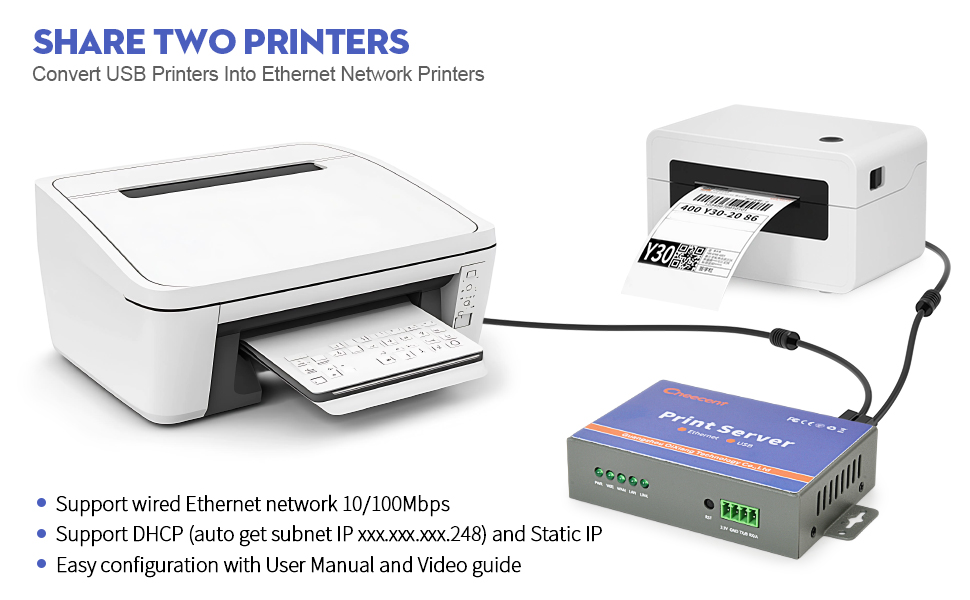
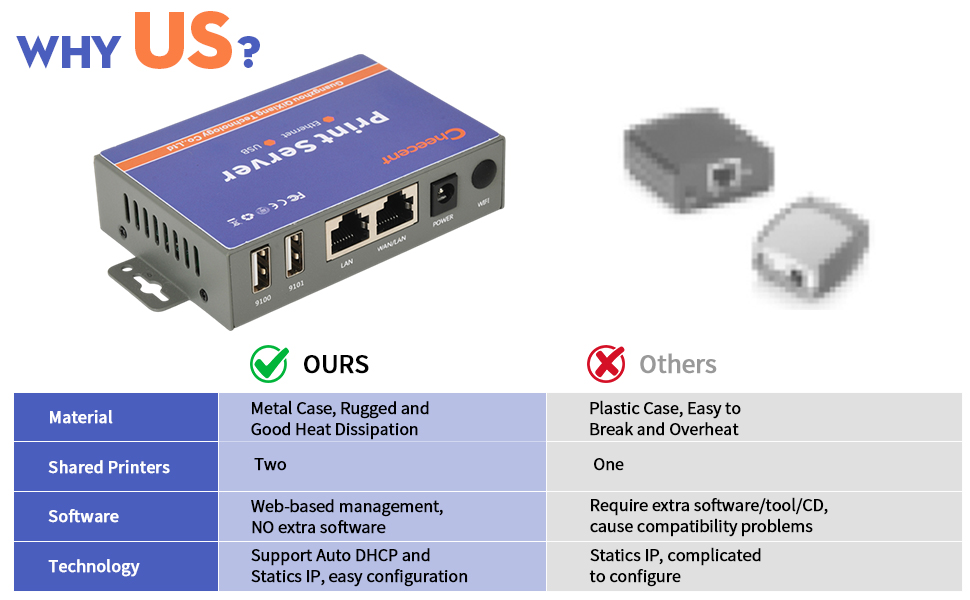
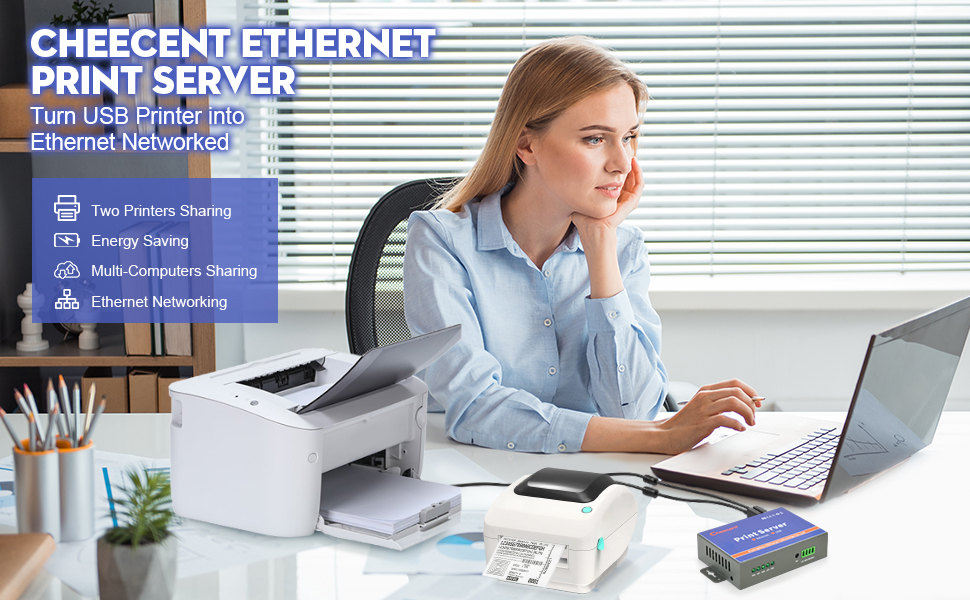
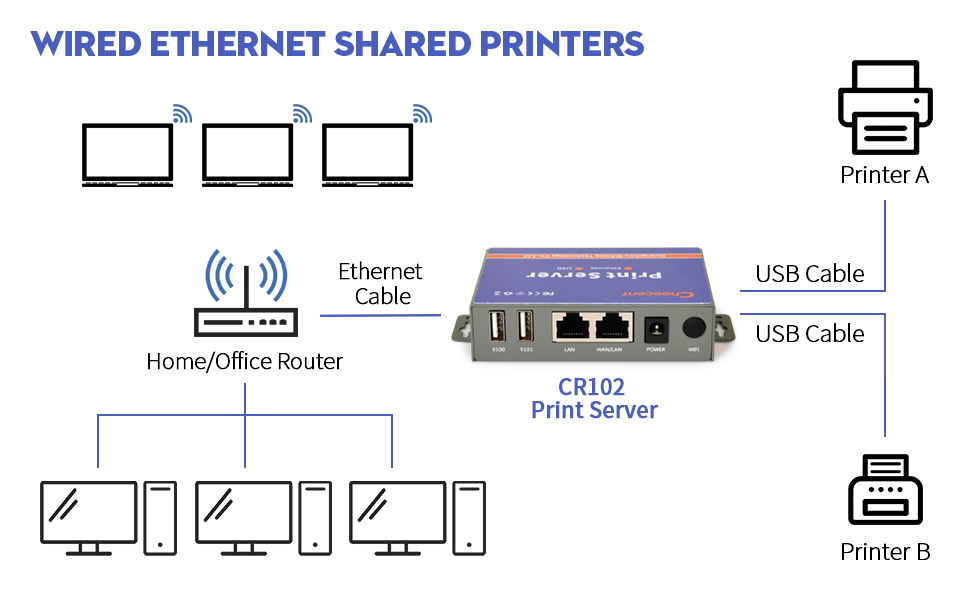
The CHEECENT CR202 Wireless Print Server transforms wired USB printers into network-ready devices with dual USB 2.0 ports, supporting WiFi 802.11bgn and Ethernet connections. Compatible with Windows, Mac, and Linux, it enables multiple computers to share up to two printers without needing a dedicated host PC. Featuring a compact metal shell with mounting options, it’s ideal for home, office, or institutional environments seeking cost-effective, flexible printing solutions. Setup requires following detailed instructions and is not plug-and-play, but once configured, it delivers reliable, wireless printing across your network.

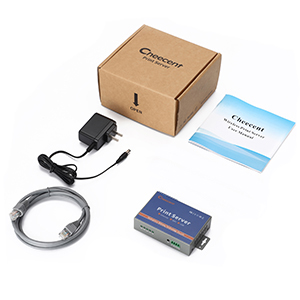
| ASIN | B0B19T1GKY |
| Are Batteries Included | No |
| Best Sellers Rank | #67,054 in Computers ( See Top 100 in Computers ) #17 in Network Print Servers |
| Brand | CHEECENT |
| Color | Grey |
| Customer Reviews | 3.9 3.9 out of 5 stars (292) |
| Date First Available | 17 August 2022 |
| Item Weight | 250 g |
| Item model number | CR202 |
| Manufacturer | CHEECENT |
| Number of USB 2.0 Ports | 2 |
| Processor Count | 1 |
| Product Dimensions | 9.7 x 6.6 x 2.5 cm; 250 g |
| Wattage | 2 watts |
| Wireless Type | 802.11bgn |
A**X
Ich nutze den Druckserver sein einigen Jahren. Einrichtung mit Anleitung hat gut funktioniert! Bis heute keine Probleme.
Z**S
This device isn't exactly a straightforward print server. The sellers know this device setup is confusing - they tell you constantly to read and follow the instructions or follow the videos on YouTube. Listen to them and do that. I've been in IT for quite a while and when you get the product, you think you'll know better --- you don't. This device is set up very specifically and you need to follow the instructions even when they seem weird or wrong. I assume the hardware was a firewall or something and was repurposed by Cheecent as a print server. Once you understand that the hardware is sort of universal, it's actually a lot easier. It's got functions, items, routing tables, DHCP server, I assume a firewall in there somewhere, etc that just aren't used for being a print server. Here are the cliff notes. The LAN port is used specifically for configuration. It does nothing else. I'm sure for some other applications that use this hardware LAN is used for a whole bunch of other stuff - in this print server device, it's used for nothing but initial configuration. It's default setting is 192.168.6.1. Connect your laptop using ethernet - I don't believe you need a crossover cable. You'll need to statically assign your computer a IP on the same subnet - 192.168.6.100, for example. This is only a method to configure the print server, once you're done with the configuration step, you'll never need the LAN port again, unless you need to reconfigure something. Configure your WAN port with an internal address on the same subnet as everything else on your network. You do this for the wireless or wired port, one or the other. If your internal gateway ip is 192.168.1.1, set it up to something static that's not used, they recommend 192.168.1.248, but you can do whatever as long as it's not currently in use on your network. Set up your subnet mask etc; DNS shouldn't be needed or the gateway in normal circumstances. Don't use DHCP, as you're going to use this IP as the printer's port, and you don't want it changing. You might want to visit the print server page at this step and turn off the bi-directional printing option on the USB ports. It's recommended in the instructions; I turned it off and never looked back. Hook up your printer to one of the usb ports, plug the power in. Hook up your network cable to WAN if you're using wired, or nothing if you're using wireless. Wait a couple of minutes for it to boot up. For printer installation on the computer, install as normal and use a jet direct port with your WAN IP colon corresponding port number. For example, 192.168.1.248:9100 for USB1 or 192.168.1.248:9101 for USB2. I'm sure you could hack this thing and do a bunch of stuff with it. I'm not sure why or what you would want to do, but it seems the hardware is general purpose. Maybe they could have made set up easier, blocked the lan port with a piece of tape and allowed management from the WAN port; I don't know nor does it matter. Once it's set up, I'm not planning on ever touching it again as long as I don't need to change my wireless name or internal IP address. As a print server, once it's set up it's been rock solid which is by far the most important thing. BTW I'm using this with a Zebra Eltron LP2844 CTP with an mfg date of 2004 and on an iMac. Works great - but wasn't on the compatibility list. If anything changes, I'll update the review, but I'm really happy with this device.
A**A
It's working fine & build quality is amazing
B**S
Artigo de acordo a descrição apresentada
A**R
Works great, easy set up
Trustpilot
Hace 3 semanas
Hace 3 semanas