We remain fully operational. Our teams are working around the clock to ensure your deliveries continue safely.

Descargar la aplicación


Servicios al cliente
Sobre nosotros
Copyright © 2025 Desertcart Holdings Limited
Descargar la aplicación


Buy anything from 5,000+ international stores. One checkout price. No surprise fees. Join 2M+ shoppers on Desertcart.
Desertcart purchases this item on your behalf and handles shipping, customs, and support to Ecuador.
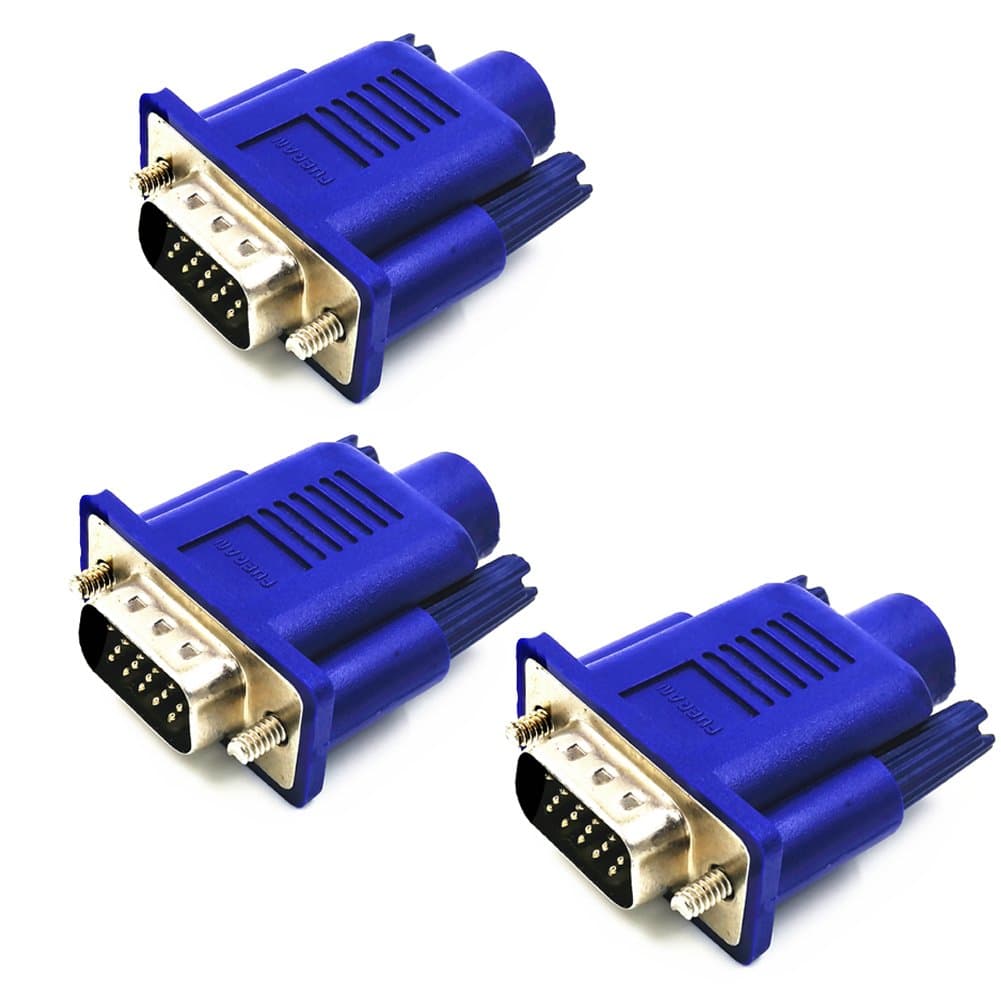
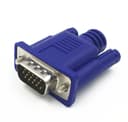
🖥️ Stay connected, stay ahead — the ultimate headless display hack!
The FUERAN VGA Dummy Plug is a compact, driver-free display emulator that simulates a 1920x1080@60Hz monitor, enabling GPU acceleration and stable remote desktop sessions on Windows, macOS, and Linux. Ideal for crypto mining rigs, headless servers, and virtual desktop setups, it prevents GPU errors and supports plug-and-play convenience in a sleek, low-profile design. This 3-pack ensures you never lose display output, boosting productivity and remote control capabilities.


| ASIN | B071RR811W |
| Best Sellers Rank | #50 in HDMI-to-VGA Adapters |
| Brand | FUERAN |
| Color | 3P |
| Compatible Devices | Monitor |
| Connector Type | HDMI |
| Customer Reviews | 4.7 4.7 out of 5 stars (70) |
| Finish | Hdmi |
| Item Dimensions | 1 x 1 x 1 inches |
| Item Weight | 1 Grams |
| Manufacturer | FUERAN |
| Model Number | VGA-887 |
| Number of Items | 3 |
| Number of Ports | 2 |
| Package Quantity | 1 |
| Power Plug Type | No Plug |
| Unit Count | 3.0 Count |
| Warranty Description | 12 |
D**H
Great for my remote workers
Plug and play works exactly as advertised first time, no setup.
M**L
Works for headless Ubuntu Server
Solved my Ubuntu Server booting problem. I did not want to configure the boot loader for serial port only, just in case I wanted to swap in a monitor at some point. Boots up just fine with default settings now.
J**E
Worked well with a USB-C Display Port to VGA adapter
Strangely enough, my application for this was with a computer that had only DisplayPort USB-C output, for which we also had a USB-C to VGA adapter. Putting this dummy plug on the adapter and plugging it in worked just fine.
N**K
perfect solution for a headless computer
Works exactly as expected. Good quality, reasonable price.
A**N
Does what it's supposed to do
Does what it's supposed to do. Plug and play. Nice that it has the screws to firmly attach to the VGA port, as some others did not.
D**E
Dummy plugs
Dummy plugs
J**G
Video adapters for headless Linux servers.
Have older headless Linux servers and needed adapters for remote graphical login using Nomachine NX or X11 forwarding via SSH. These worked perfect.
M**S
Boot without a monitor and use remote access.
If you know what these are, you can't live without them. The trick your computer into thinking there is a display attached when there is none. You use them so the operating system will boot and load. Then you "get into the system" over the network. Some systems simply will not boot if a monitor is not attached. Others will try every possible way to boot before giving up. They make these for HDMI monitors too.
初**ン
計6個を購入。すべて問題なく使えました。
R**6
We needed it for remote users using VNC on Linux machines with VGA-only server boards. Resolved remote access video issues.
会**)
VNCでリモートPCを使っていますが、このPCにはモニタもキーボードもマウスもつながっていません。それで十分なのですが、再起動時の解像度安定のため、VGA端子には本品を、実マウス代替としてマウスジグラーをつなげています。800x600から、あらゆる解像度が選択可能で、OS側で設定を保持できるので、単にモニタを接続しない場合よりも解像度表示が安定します。場所を取らないことも好評価です。不安定な面は今のところ全くありません。リモート用にPC周りをすっきりさせたい方には強くおすすめしたいですね。
D**N
I have a few clients with TeamViewer installed for me to manage, but those without monitors attached all showed up as 680x480 which made it almost impossible to use. These devices instantly fixed the problem!
T**O
画面解像度の小さいノートPCにこれつけて、VNCで2Kデスクトップで使えています。 リモートでの使用が快適になりました。
Trustpilot
Hace 3 semanas
Hace 1 día