We remain fully operational. Our teams are working around the clock to ensure your deliveries continue safely.

Descargar la aplicación


Servicios al cliente
Sobre nosotros
Copyright © 2025 Desertcart Holdings Limited
Descargar la aplicación


🚀 Elevate your storage game with speed and seamless swapping!
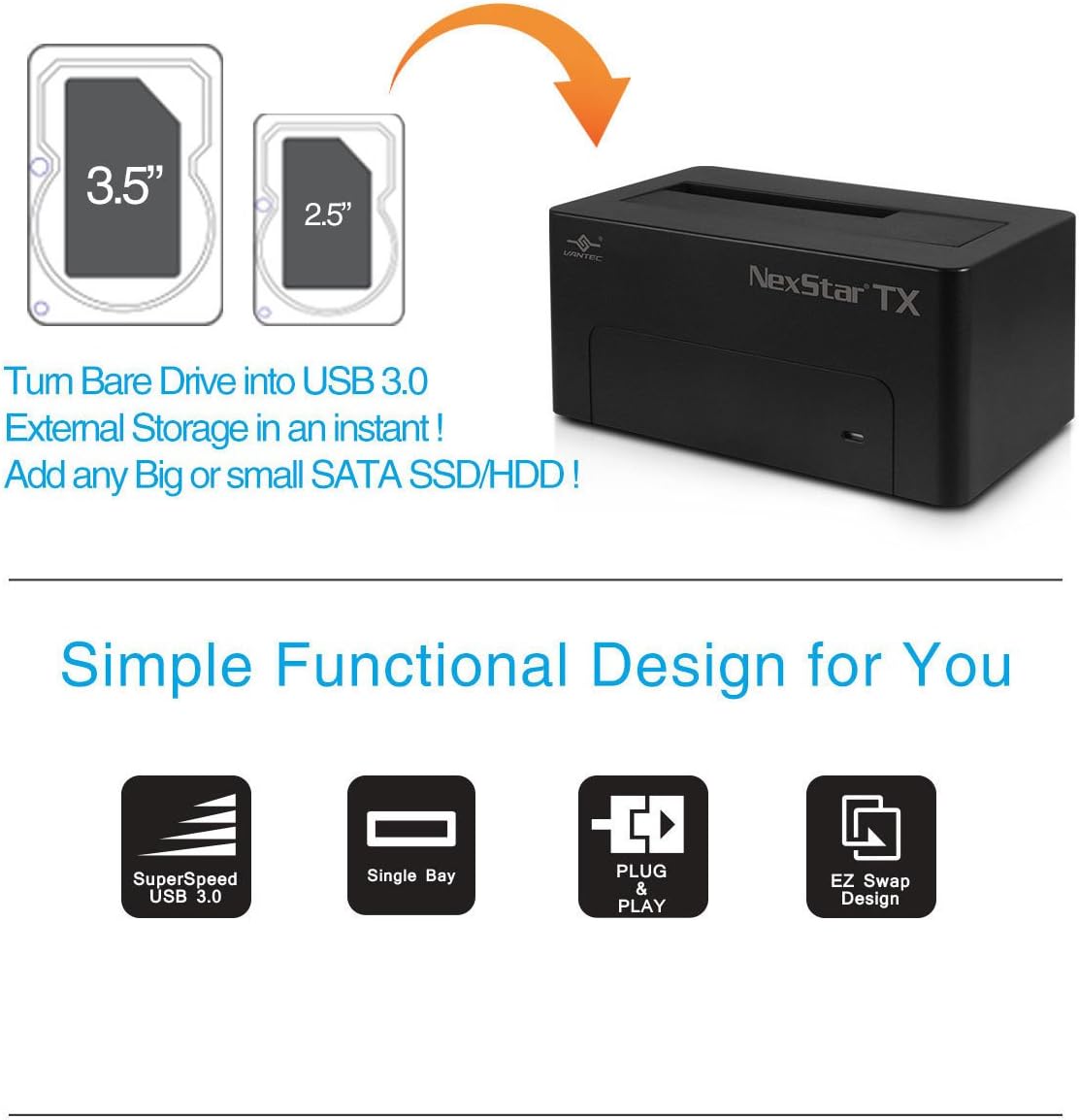
The Vantec NexStar TX Single Bay USB 3.0 Hard Drive Dock delivers ultra-fast 5Gbps transfer speeds with backward compatibility, supports both 2.5" and 3.5" SATA HDDs/SSDs, and features hot-swappable plug & play functionality with UASP for enhanced Windows performance—all wrapped in a sleek, power-controlled design perfect for professionals needing flexible, high-speed external storage solutions.
| ASIN | B01L9AZDRE |
| Best Sellers Rank | #1,965 in Enclosures |
| Brand | Vantec |
| Built-In Media | External power supply, NexStar TX USB 3.0 HDD Dock, Quick Install Guide, USB 3.0 cable |
| Compatible Devices | Laptop |
| Customer Reviews | 4.0 out of 5 stars 360 Reviews |
| Global Trade Identification Number | 00844767022468 |
| Hardware Interface | USB 3.0 |
| Item Type Name | Vantec NexStar TX Single Bay USB 3.0 Hard Drive Dock , (NST-D328S3-BK) |
| Item Weight | 0.8 Pounds |
| Manufacturer | Vantec USA |
| Number of Ports | 1 |
| UPC | 844767022468 |
| Warranty Description | 1 year |
A**D
Gets the job done!!!
If you're a storage junkie or do media editing (or game dev, in my case) this thing is a lifesaver. Might sound paranoid, but any time you are running electricity through a computer part (however little it may be), you're still "putting miles" on something. With many iterations of my game's source files, videos I edit, or other projects I need a safe place to do local backup in addition to cloud backup...as cloud retrieval can be slow. You can leave a drive docked, or do your backup/transfer and then stow it in an anti-static bag or elsewhere. This is particularly great for SSDs since it has proper guide slots for both 2.5" and 3.5" drives. It's pretty smooth and has a power button on the back so the drive can be disengaged before you swap it out. Another use option that is a *Your Mileage May Vary* scenario, is using this for swapping in and out SSDs with installed game files on them. I have limited space inside my PC case and also like playing games on various PCs I have (HTPC or a laptop) and storing Steam or other game client installer files on here means you can simply take it over to the other computer using this dock to play the games. I will add, it need to be a USB 3.0 or faster port to utilize it properly, but the games load and run perfectly fine for me with this method. Saves you from excessive writes or installs on multiple drives and is a great quality of life hack. So far it's worked very well for me and the price is definitely fair for what you're getting. If any of the above sounds good, give this dock a try.
J**N
Functional and versatile!
My old computer died months ago. Thanks to this device I was able to recover the data on that computer's OS drive. I like that I can turn the drive on and off (something that seems to be lacking on most regular USB external drives). The only qualm I had with it was a product of my own ignorance - for those who aren't familiar with eSATA, it's a high-speed data cable similar but not identical to USB. This "toaster" apparently requires that all three cables - power, USB, and eSATA - be connected in order to allow access to the drive. If you don't have a newer model of computer, you may not be able to make use of this (then again, I doubt you'll be purchasing something like this if you aren't having a problem with one or replacing one). All in all, I think it was worth it for the money (though if I were planning to still use the drive as an OS drive for some hairbrained reason, I would've bought a permanent case instead of this).
C**S
Nice external drive mount
I have become a big fan of external drive enclosures now that I have multiple computers in multiple locations. They are nearly as fast as internal drives, and far more convenient for a huge number of uses. The most obvious use is backing up data, for which this open style of drive enclosure is perfect. It is also great for an advanced "sneakernet" - transferring files from one computer to another when there are too many files or file size is too large for USB flash drives. The construction is mostly medium weight plastic, and power cord and USB cable are included. It works easily on Windows or Ubuntu Linux computers I have tried. It uses standard SATA internal drives which must be formatted before use. One more nice thing about this style of drive is that one can use regular internal drives, which are cheaper than all-in-one external drives, and you can swap drives out for unlimited storage. I have only had this drive for a few weeks, so I can't comment on longevity, but that again is a strong point of this kind of drive - you can simply move the hard drive to another enclosure, and have your data back if the drive enclosure ever fails. So far, I have found no reason not to recommend this enclosure.
R**R
3.5 Hard Drive dock for SATA HDs
The unit works as described, but you should have a SATA extension cable and an adapter for the back of your PC to take advantage of SATA speeds (not included). I have not used the USB with it. The drive I am using is a Hitachi Nextstar 1 TB...and it is very quiet without any fan. Cooling is via the ambient room temperature only. The drive activity light is the long blue strip at the bottom, with the blue LED circles for the power status and in the center the on/off switch. You must shut the unit off to remove it, or use the Safe Remove function from your desktop OS. Very nice and simple solution for extra storage.
S**G
There's a reason they call these "toasters"
Purchased this item along with a brand new Seagate Barracuda 1TB drive. Unit looks good and the idea behind it is genius but like Eugene Vasserman's review I too noticed that the drive wobbled a bit in the slot. Installation was a snap and the first time I used it everything worked beautifully. The second time I used it, I placed the drive in the socket making certain it was pressed all the way down and pressed the power button on the front. The pretty blue light came on and I waited for the drive letter to show up on my screen but it never showed. I looked over and the blue light was out which evidently means your toast is finished. I ejected the drive and was greeted by the smokey smell of sizzling silicon, mmmmm, what a delight! In my case I believe the socket was just sloppy enough to allow a short between two or more pins on the hard drive. Take a look at a sata drive and see how close they are together, it wouldn't take much play in the socket connection to cause a problem. My suggestion is that you get one of the self-contained external drives. My wife got a WD drive and while it does make a bit of noise it's not excessive and it works pretty well. The only problem with it is that when you re-boot the computer, unless the usb cable is pulled or the power to the drive is turned off the boot process hangs until you do so and re-boot. I think it's due to a wrong setting in the bios boot sequence but so far everything I've tried has failed.
D**L
Flimsy construction with a super bright LED, otherwise works well
I was really looking forward to this Vantec hard drive dock because I have several Vantec products from years past that have nicer streamlined designs and built solid compared to the competitors. I figured this new hard drive dock would have a similar solid feel. But the FIRST TIME I attempted to remove a 2.5" drive, the door flap broke off! The drive got snagged against the door flap and it took only a slight pressure to pop it off and break the plastic. Then I realized that this plastic flap is not even necessary, it's just an alignment guide, so I removed it as shown in the photo to expose a larger opening. It is easy to line up with the SATA connector to insert a 2.5" drive even without this silly door flap (unless someone is blind or working in the dark). I am happy with this hot rod "mod" to the unit. Now the next disturbing aspect is how bright the LED is. I mean this thing lights up the entire room! I can use it as a flashlight. I don't understand why the neighbor down the street has to be able to see the LED shining through my window blinds. Other than that, it works nicely with excellent plug-and-play capability and transfer rates. On the bottom of the unit it says Made in China which explains the quirks. I hope Vantec will see this review for the next design model.
T**H
Hard Drive Toaster
Purchased the Vantec NST-D100SU "Hard Drive Toaster" about a month ago and have used it frequently since. Primary use is to backup my 3 computers. The device has worked flawlessly connected both via USB and ESATA. There is really very little to say about its operation. You plug it in, turn it on, your computer detects it, you have a drive. I've experienced no problems whatsoever during the time I've used it. You do need to follow the rules about not inserting or ejecting your hard disks when the device is powered. Just RTFM (its short) and you will be fine. The only things I would change is to make the device a little heavier for stability and it would be nice if a cover of some kind was provided for when it is not in use. At any rate, I would recommend this to anyone who is thinking about this kind of device.
A**R
Works great with OSX and Synology DS
Used this initially to backup a 1TB SSD off my MacBookPro and then connected it to my Synology diskstation and a 10TB disk for easy backups of the diskstation. No problems and works great. Easy to use. Update: Well the power switch failed. Now it is unusable. How cheap do you have to do things for a power switch to fail when I swap drives once every 2 weeks?
Trustpilot
Hace 2 semanas
Hace 2 meses