We remain fully operational. Our teams are working around the clock to ensure your deliveries continue safely.

Descargar la aplicación


Servicios al cliente
Sobre nosotros
Copyright © 2025 Desertcart Holdings Limited
Descargar la aplicación
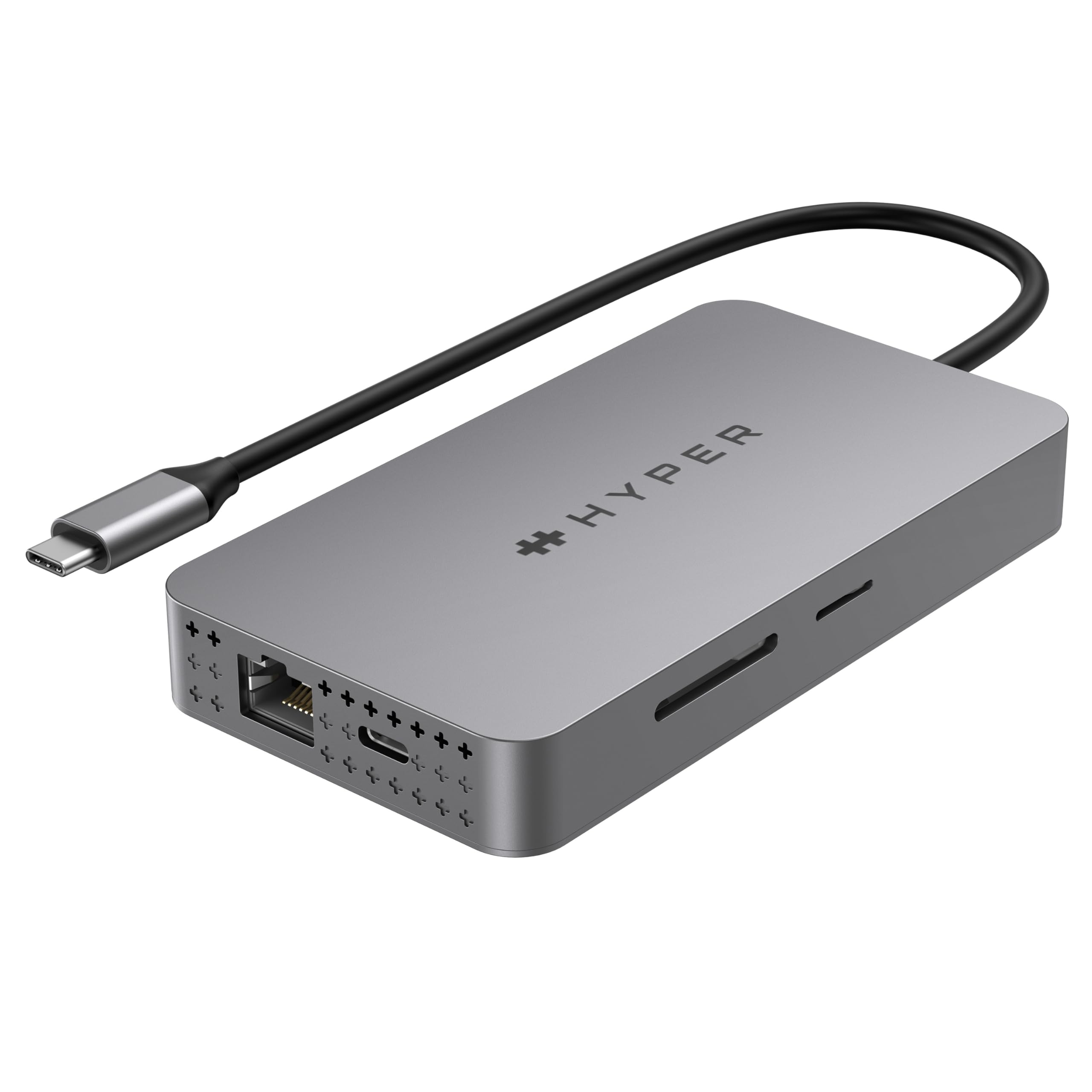
🚀 Elevate your MacBook game with HyperDrive — because one screen is never enough!
The HyperDrive 4K Dual HDMI USB-C Hub is a versatile 10-in-1 adapter designed for M1 MacBooks, Windows PCs, and Chromebooks. It supports dual 4K HDMI output, 100W USB-C power delivery, ultra-fast MicroSD/SD data transfer, and includes multiple USB ports plus Gigabit Ethernet and audio jack. Its driverless setup and compact design make it an essential upgrade for professionals craving expanded display real estate and seamless connectivity.


| ASIN | B09NBS9DS6 |
| Batteries | 1 Lithium Ion batteries required. |
| Best Sellers Rank | #1,159 in USB Hubs |
| Customer Reviews | 3.6 3.6 out of 5 stars (421) |
| Date First Available | February 1, 2022 |
| Item Weight | 6.3 ounces |
| Item model number | HDM1H |
| Language | English |
| Manufacturer | Hyper Products Inc |
| Product Dimensions | 4.33 x 1.97 x 0.62 inches |
A**L
This is a fantastic device which just works with the M1
I have used thunderbolt displays since Apple came out with their primary. With the M1 and the age, I migrated to new TB displays, but was grossly depressed when the M1 came out. I used a mac mini m1 for a while, which worked great, but ended up selling it due to needing the horsepower of the M1X. My company sent me a mbp 13 m1, and I needed two monitors, so I got this. It worked fantastic. There are some cavaets as I am driving high performance monitors 32" 2K@60 hz, fantastic and holds up nearly perfect 3K@60 hz, good performance on the 4K@60 port, on the other port there is a slight blur and there is a slight slower but it is not overly noticeable. At this configuration it burns 1/2 a performance core on the M1 4K@60 and 4K@30 ... you know the drill on 1/2 the frequency, but it works. This hub works well and if you don't get it, the key thing you have to remember is that you can't have USB3 on it. only USB2 as your need all the data channels to push the video. The USB2 uses the low power leads that are left over. As for opening the laptop with it plugged in, it will go to mirror mode as the GPU can't handle three displays effectively. What is great about this is it stores their application code on the hub so plug it in and it is instantly available with no searching of drivers. A good pairing if you want to limit the use to 1 port on your MBP, is to pair this with the Caldigit TS3plus. Why? you sling the USB3 and other goodies off of the hub, and plug this guy into the back for your video. Win-win. It is great if you are not a power user of the M1 mac in giving you the eye candy you need. It also works really really well with chromebooks (asus flip c436 e.g.) in fact I would say the performance is even better because chromeos has MST support.
G**G
It ruined my PC
Bought it for using both on my M1 mac & my PC, because they say it works for both. While it still works fine on my mac, it only worked for a couple of hours on my PC and then stopped. The USB-C connection on my computer stopped recognizing this docking station. Not only that, the USB-C connection on my PC stopped recognizing ANY device that's connected to it. It ruined my USB-C connection on my PC! Until connecting it, this USB-C connection worked flawlessly for a couple of years. I am writing this review 2 weeks after I got this, just wanted to check if it's something to do with time. Now I have to fix this by replacing my USB-C connection (hope it'll work) or even buy a new computer. Also, the customer service just told me to contact Amazon's customer service, as if they had no responsibility for this product. This is my first review I am ever writing for a product, but this experience was so disappointing that I had to warn others (the most useless $200 I've spent in my life). If you're like me, and needed to use it also for a PC, do yourselves a favor and stay away.
G**N
More Pros than Cons
This helped with a huge frustration on my MacBook Pro M1 14". I previously had one monitor plugged into the onboard HDMI and another with an adapter plugged into a USB-C. I had constant monitor flickering where the Mac would readjust applications to other monitors and then try to recover when the monitor connection stabilized. This HuperDrive took care of all of that. You'll notice I have two monitors plugged in to HDMI plus running power and Ethernet through it. Installation was seamless. Follow the instructions. After several months of use, I can verify on my Macbook Pro 14" it's stable. I've had a monitor flicker maybe 2-3 times. One monitor has a lower refresh rate but for office work (and even some light video usage) it's not noticeable unless I compare it with the other monitor. It maintains good color unity with the other monitor (that's an identical brand and size - LG 32") so I'm actually running 3 monitors if you include the Macbook Pro screen, all extended display. Two things that don't work well when plugged into the HyperDrive: (1) I don't get Mac (text) Message notifications. They're silent. Every other sound notification works except text messages. It's odd. Works fine when I unplug and use the Macbook Pro alone. (2) My Apple Watch won't unlock my Macbook pro. It displays a message at the login screen that Apple Watch won't unlock when using "screen sharing." Again, everything works fine when unplugged from the HyperDrive. I can live with both those. I've tried lots of cheaper options. None are reliable.
R**N
Works well but takes some time
This product is actually pretty cool, but it's unfortunate to have to pay $200 to get dual monitors for your Mac M1/M2 (not Hyper's fault of course). I had to call Hyper's customer service after I set this up who was really accommodating in correcting why I was not able to view any streaming platforms (YoutubeTV, Netflix, etc). They were helpful even though it took a while to get a hold of someone. Overall, very good product so far.
J**Y
Does exactly what it is supposed to
The only issue I found with this magic box is that if it is unplugged from the MacBook Air (M1) for a few days and then plugged back in, the Hyperdisplay drive disappears and you will need to unplug it from the external displays, power, everything and replug it all back in to get it to reload...easy really and works again like magic! Pricey, but a real (of few) hardware solution for the M1 Macs!
A**I
Espectacular!
M**D
Worked nicely for a while but it broke down after a few months. I'll get in touch with the support I guess.
R**N
It has Everything you might need/want: I have an M2 Mac, and this hub allows me to split my screens onto both my 3440 screens whilst being able to watch Netflix (so it get's around that whole Video encryption problem. It also has a bunch of other misc bits that are useful like USB A/C ports + power delivery. It is unreliable The problem with the device is that it's clearly doing more than its hardware allows for. The hub gets really overheated and the dual-external-screen split keeps failing, so I have to do the whole plug-unplug reboot thing repeatedly. This is very inconvenient and unprofessional when you're having a work call. I use a Plugable in the office. Whilst the Plugable doesn't have the ability to get Netflix going on dual-external-monitor, it is far more reliable in terms of picture stability and general performance. The HyperDrive is also really expensive and I probably won't be able to reproduce intermittent connectivity problems to get it replaced (I'm not even sure the replacement would function better). What it really means: I ended up taking my laptop to the living room to fiddle + watch Netflix & HBO in the end... plugging it in and out repeatedly was just too painful and it ended up not being worth the $200 SGD premium over another hub that wasn't going to work with encrypted videos. I'm revising my review to 1 star because I tried to reach out to Customer service, drove down to the service center, had it replaced, and it still broke the exact same way. This hub is complete rubbish I'm going to switch to a Pluggable...
A**R
Product made life so much easier
R**R
Habe 2 Monitore und habe dafür den HYPERDRIVE gekauft. Installation ohne Probleme, hat sofort 1 Bildschirm als zusätzliche zweite Bildschirmfläche erkannt. Der Zweite Monitor ist der gespiegelte Bildschirm vom MacBook Air. Das MacBook Air muss offen sein, sobald man den Bildschirm zuklappt, schalten sich auch die Bildschirme aus. Der HYPERDRIVE Dual HDMI 10-in-1 USB-C Hub funktioniert mit Apple Geräten mit M1 oder M2 Chip. Ist aber auch sehr gut mit Windows kompatibel, hab’s da auch probiert. Funktioniert gleich wie beim Apple Gerät. Ebenso wird er nicht so heiss wie sein Vorgänger der mir abgetaucht ist. Also alles in einem, Daumen hoch, kann ich Empfehlen.
Trustpilot
Hace 1 mes
Hace 2 semanas