We remain fully operational. Our teams are working around the clock to ensure your deliveries continue safely.

Descargar la aplicación


Servicios al cliente
Sobre nosotros
Copyright © 2025 Desertcart Holdings Limited
Descargar la aplicación
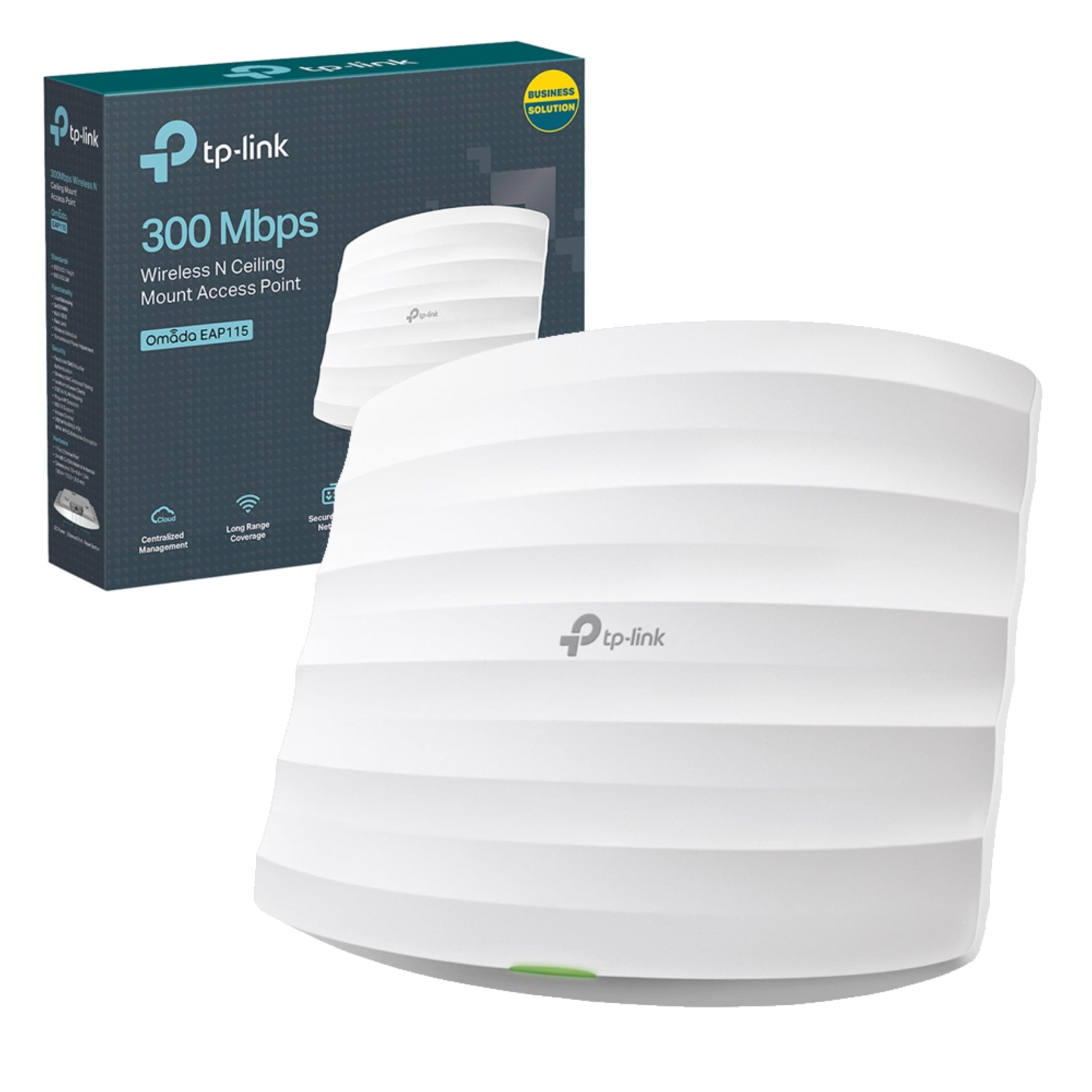
🚀 Elevate your workspace Wi-Fi with effortless power and control!
The TP-Link EAP115 is a business-grade N300 wireless access point delivering up to 300 Mbps speed with single-band 2.4 GHz Wi-Fi. It supports Power over Ethernet (802.3af) for streamlined installation and is centrally managed via free Omada Controller software, enabling control of hundreds of devices from one interface. Designed for easy ceiling or wall mounting, it features a captive portal for secure guest authentication, making it ideal for professional environments requiring reliable, scalable wireless coverage.
| ASIN | B01IR41LJY |
| Antenna Location | Business |
| Antenna Type | Fixed |
| Best Sellers Rank | #36,977 in Computers ( See Top 100 in Computers ) #153 in Wireless Access Points |
| Brand | TP-Link |
| Built-In Media | Mounting kits for ceiling or wall mounting |
| Color | red |
| Compatible Devices | Gaming Console, Laptop, Personal Computer, Smartphone, Tablet |
| Connectivity Protocol | Wi-Fi, Ethernet |
| Connectivity Technology | Wi-Fi |
| Control Method | App |
| Controller Type | Cloud-based Software Controller" or "Separate Device Software Controller |
| Coverage | wide |
| Customer Reviews | 4.4 4.4 out of 5 stars (493) |
| Data Transfer Rate | 300 Megabits Per Second |
| Frequency | 2.4 GHz |
| Frequency Band Class | Single-Band |
| Global Trade Identification Number | 06935364096946 |
| Has Internet Connectivity | Yes |
| Has Security Updates | Yes |
| Is Modem Compatible | No |
| Item Weight | 0.3 Kilograms |
| LAN Port Bandwidth | 1000 Mbps |
| Manufacturer | TP-Link |
| Maximum Upstream Data Transfer Rate | 300 Megabits Per Second |
| Mfr Part Number | EAP115(UK) |
| Model Name | EAP115 |
| Model Number | EAP115 |
| Number of Antennas | 1 |
| Number of Ports | 1 |
| Operating System | TP-Link OS |
| Other Special Features of the Product | Access Point Mode |
| Router Firewall Security Level | True |
| Router Network Type | False |
| Security Protocol | WPA2-PSK, WPA3 |
| Unit Count | 1 Count |
| Voltage | 12 Volts |
| Wi-Fi Generation | Wi-Fi 4 |
| Wireless Compability | 802.11b, 802.11g, 802.11n |
W**I
J'ai voulu sortir des sentiers battus et je n'aurais pas du. Déjà j'ai commandé cet AX1800 sur amazon.fr et c'est amazon.uk qui me l'envoi. Il arrive avec une prise anglaise, bon... comme la tension chez les UK c'est la même que en EU j'ai acheté un adaptateur (et bing 10€ en plus). Amazon me demandait de retourner le produit car infoutu de m'envoyer une alim ou un adaptateur. Je demande à Amazon de supprimer ce produit du catalogue car il ne vient pas avec une prise EU. A terme cette borne devrait être connecté en POE, mais sur le moment je voulais l'essayer car cet appareil va aller dans une autre maison et comme ça sera pour le mois d'aout je ne voulais pas tomber sur un truc qui ne fonctionne pas. Chez TP-LINK c'est à la mode chinoise, je ne fais rien de bien, je veux juste vendre. TP-LINK propose tout un tas de truc qui ne sert à rien : Le cloud (??), un logiciel sur pc qui installe une bdd Mongo db, et le top c'est que Windows refuse de l'installer, c'est pour dire que le package n'est même pas développé pour contourner cela avec les moyens afin de dire à Windows "Nous sommes une application sécurisé" tu peux nous installer, tout du moins laisser le client final tranquille. Alors il faut désactiver la protection de fichiers dans Defender pour que ça puisse s'installer. Je désinstalle tout ça car strictement rien d'intéressant ! J'ai quand même (et d'ailleurs en premier lieu) installé l'application Android, qui me permet de donner un SSID, rassembler le 2,4 et 5Ghz avec le même nom, et .... c'est tout ! ha si j'oubliais (éteindre la led bleu). J'ai juste incroyable. Vient le test de débit sur ma ligne 980 mb/s Il m'affiche un 140 mb/s en download et 350 en upload sur le réseau 5Ghz (?) C'est le même cinéma en 2,4 donc bon... rien ne change et je suis à coté. Alors que borne Unifi traverse les murs avec un débit de dingue. L'appli annonce le nombre de clients connectés et ceux qui sont bloqués (impossible de savoir comment bloquer un client car rien d'intuitif), la mémoire utilisé et le cpu. Bref rien de bien fou. Maintenant je regarde ma borne Ubiquiti Unifi AP AC Lite et elle prends 570 mb/s en download, je vous passe l'upload. C'est juste fou ! Je pensais m'orienter vers quelque chose de pas mal de ce que je lisais, et je me rends compte que ma borne qui a 6 ou 7 ans envoi plus. Et bien entendu l'équivalent des logiciels cités plus haut chez Unifi sont de vrais logiciels de supervision. TP-LINK a essayé mais pas réussi ! Je renvois ce produit. PS : la version du firmware ne peut pas être corrigé, impossible de comprendre comment tout cela est géré, ça reste de la pure chinoiserie.
M**M
I am fortunate to have a large house which I have been renovating myself for nigh on ten years - as my dear wife reminds me every six months - and as part of that renovation I reboarded the entire house with foil back plasterboard. I figured that as I'd taken everything back to bare walls in most places I may as well spend a little more and improve overall heating efficiency. And it did. And it also created a bit of a Faraday cage as well which, I had not thought about... Doh! Anyway, this means my house is a bit of a struggle for WiFi from one unit and there are dead spots. A lot of them. My first efforts were to go with a mesh system - the BT one - and it works but really, the truth it that its a bit pants. No way do I get the same WiFi speed and the various hubs have to be almost within touching distance of each other to work. So I looked at an AP system and this TP link one is without a doubt the best bang for buck one. Designed of course for office/hotel use it also doubles up perfectly for home use for bigger gaffs and even outdoors. The overall setup is simple. Get a POE network switch, run Cat5/6 to where you need it and plug into one of the TP LInk Omada AP's. Using the App on your phone you set it up and hey presto, it works. It's really, really simple and even a complete computer nonce could manage it. I will add that I also purchased the Omada controller which, makes monitoring and control even easier and I'd say that should be in your basket as well. So installing onto your system is easy now for the actual unit. First off this does need a power supply. Despite the POE tag used on the Omada gear the cheaper items come with a power block that you need as well. I use mine right by the network switch and this means I don't need power close to the actual AP. I can put up with the slight inconvenience of a power block in my cupboard where my switch is located. Secondly this unit comes with a mounting base that you fit to a wall or ceiling. It makes fitting very easy indeed. Simply locate the mount - carefully lining it up so that the square(ish) AP won't look wonky - and then fix it to your desired spot. Plug in the Cat5 or 6 cable and then lock into place the AP. Easy. The unit itself is neat, low profile and unobtrusive. After a short while you simply forget that it's there - not something one can do with the BT mesh hubs as they are prominent wherever they are. And one thing for those not sure. When setting up your AP Omada network each AP is part of the same system login so you set one SSID and password and whichever AP gives the best signal will be the one your device seamlessly connects to. Given that this AP setup is actually cheaper - or can be - than a mesh WiFi network it's a no brainer if you can run cables.
A**O
La copertura non è delle migliori.
A**L
formidable ,super appareil ,seul bémol il faut avoir une prise française ,car la prise et américaine et donc incompatible .
D**Y
I installed this at one of my customers' who were struggling to get WiFi in their sales office from the main router which is some distance away through a couple of walls. I've used different TP-Link models for this several times before. They can use POE for power so you only need to run an Ethernet cable to them, making it very easy to install it on something like a false ceiling or on the wall. Very easy to set up now as you can use their phone app which finds it and configures the SSID and password for users. You can also use their Windows finder app to do the same. Once you know the IP address you can use a web browser to log in to it and give it a fixed IP address if you want to. The strength of WiFi signal is superb on 2.4 and 5 GHz signals and there is the facility to reduce the power if necessary.
Trustpilot
Hace 2 semanas
Hace 3 semanas