Desert Online General Trading LLC
Dubai, United Arab Emirates
Desert Online General Trading LLC
Dubai, United Arab Emirates




⌨️ Elevate your iPad Air game — type, track, and protect like a pro!
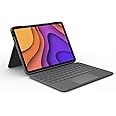
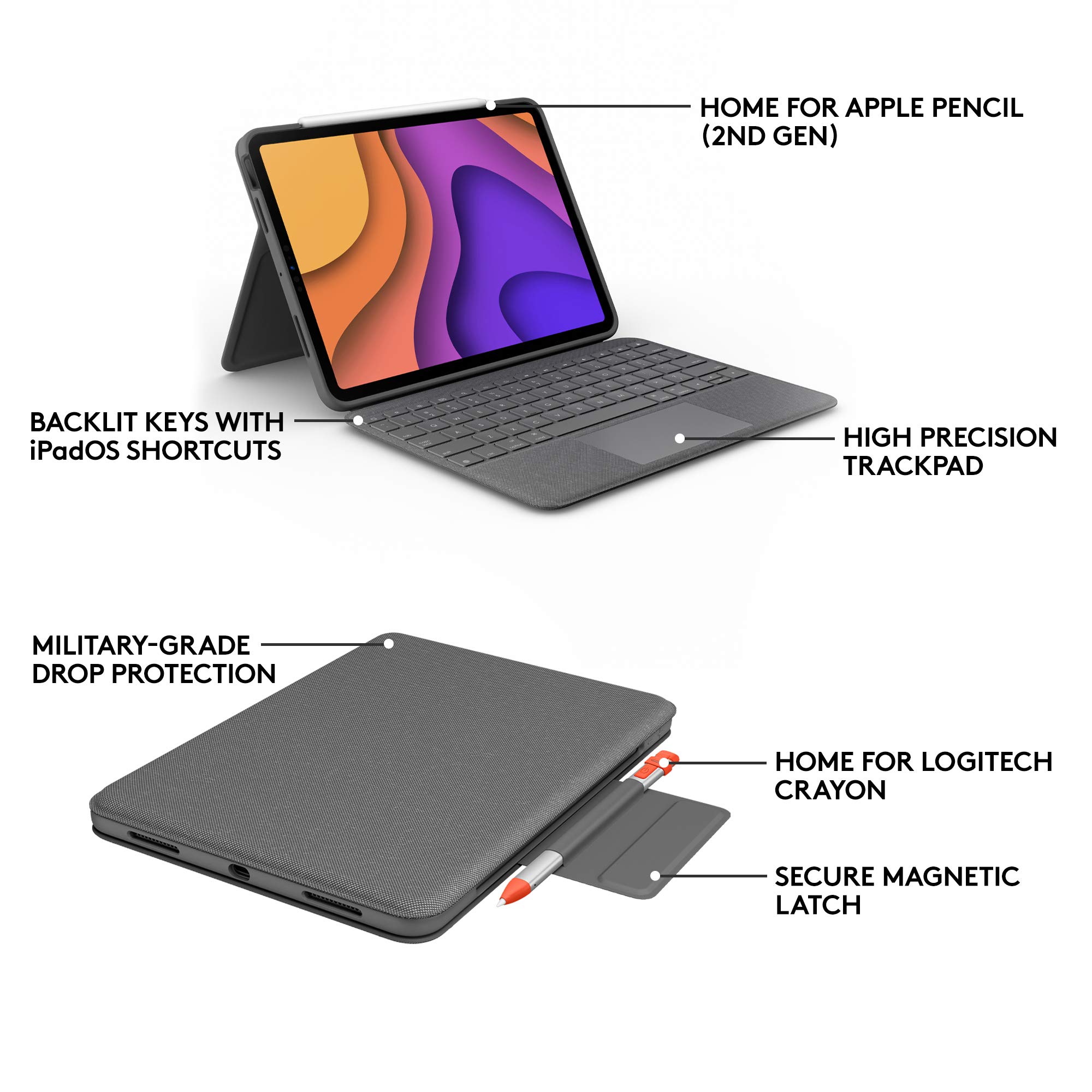
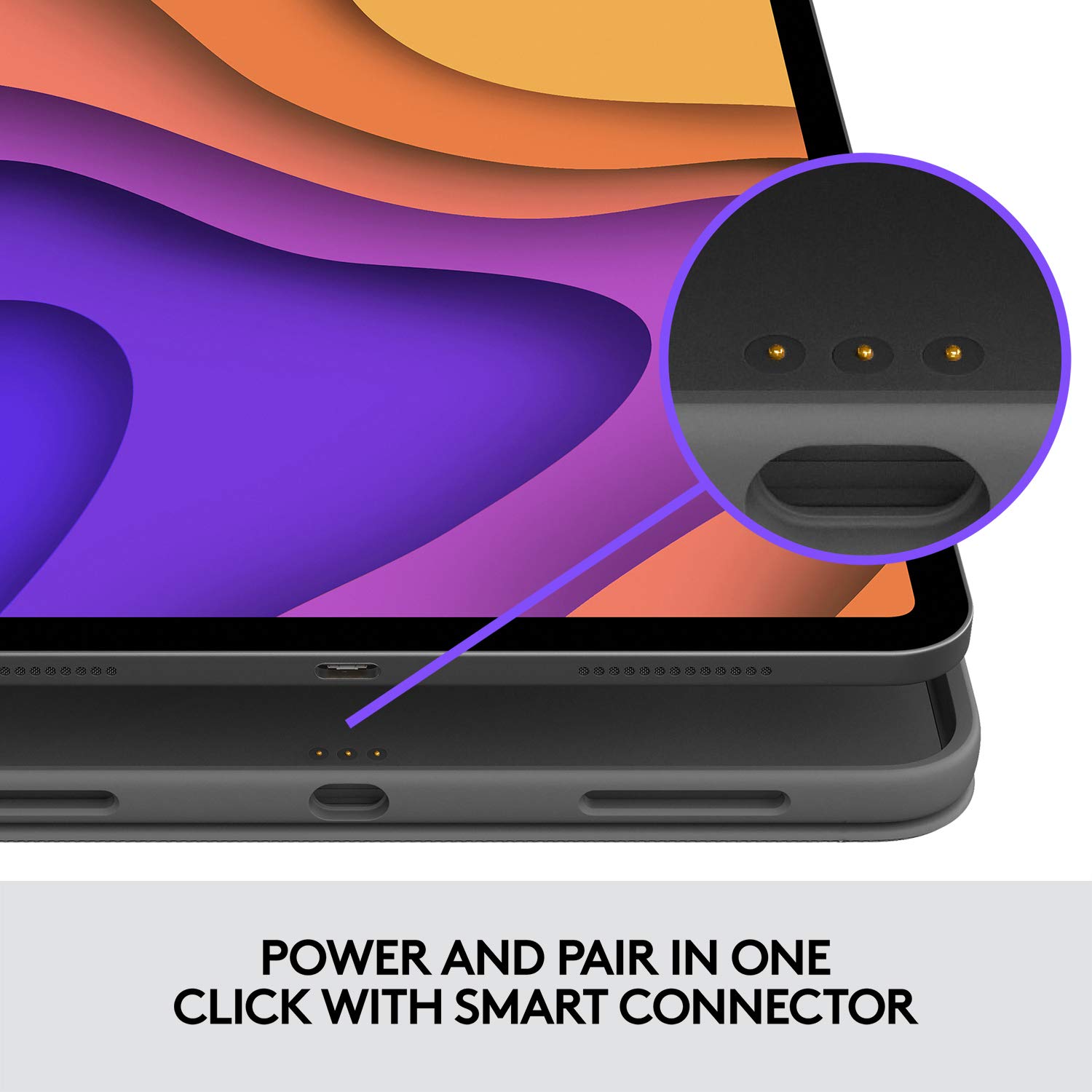
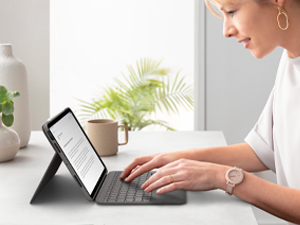
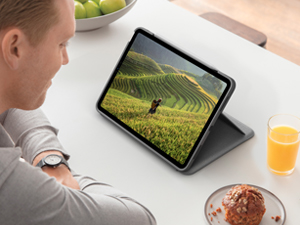
The Logitech Folio Touch is a premium keyboard case designed for the iPad Air 11-inch (M2 & M3, 4th & 5th gen). Featuring a high-precision multi-touch trackpad, adaptive backlit keys, and a military-grade protective shell, it offers a laptop-like typing experience with four versatile use modes. Powered directly via the Smart Connector, it eliminates charging hassles while providing secure storage for your Apple Pencil or Logitech Crayon.





| Brand | Logitech |
| Product Dimensions | 18.9 x 2.1 x 25.6 cm; 643 g |
| Item model number | 920-009968 |
| Manufacturer | Logitech |
| Series | Logitech Folio Touch iPad Case Keyboard for iPad Air 4th Gen 5. Gen 2020, 2022, UK/US INTL QWERTY- Grey |
| Colour | Grey |
| Standing screen display size | 15.6 |
| Processor Brand | Apple |
| Graphics Chipset Brand | Apple |
| Connectivity Type | Wi-Fi |
| Wattage | 3600 watts |
| Power Source | Power cord |
| Hardware Platform | iPad Air (4th gen), iPad Air (5th gen) |
| Operating System | iPadOS 13.4 and above |
| Average Battery Life (in hours) | 40 Hours |
| Are Batteries Included | No |
| Lithium Battery Weight | 2 Kilograms |
| Item Weight | 643 g |
| Guaranteed software updates until | unknown |
M**0
Nice little keyboard – emphasis on little
Some background first. I’m using this with an iPad Air 2022, and it works just fine.Background about me – I’m middle-aged and have been typing since I was ten years old. I type very fast, at around 120WPM. My fingers are in the very very early stages of becoming arthritic, in that I increasingly wake up with them aching slightly. But this does not yet affect my typing. My hand are around average size for a man.In summary, I like this keyboard case a lot. The keyboard is about as small as it can be without compromising the ability to type. Getting used to it takes a very small amount of adjustment, and in particular the backspace key isn’t quite as large as I’m used to. I sometimes hit the key above it, which is the lock button, so accidentally turn the iPad off. Again, this is about adjusting how I work.The key travel is very small. That is, the distance the key must be pressed is literally a millimetre or two. Personally, I like this but if you’ve got heavy typing fingers then I’m unsure if you’ll find this OK. My late father had learned to type on manual typewriters, and made the desk bounce when he typed on his laptop. He’s the kind of person I suspect might adjust to typing on a keyboard like this. I would certainly suggest trying it out somewhere before purchasing if you have any concerns. You need to keep your nails short too, which is the case with all “low profile” keyboards like this (including Apple’s most recent laptops).The trackpad works great. It’s not glass, though, like my MacBook Pro that I came from. This means my finger doesn’t glide quite as smoothly. I suspect this will fix itself as the trackpad gets a little finger grease on there, and as I start to wear it down. Again this is more an issue of adjustment. But it clicks fine. This is the new generation, so you can click anywhere. The older generation only allowed clicking on the bottom half. The trackpad is wide but there’s no issue for me around accidentally touching it while typing. My palms rest on the fabric parts of the keyboard case.Opening the case can be a little fiddly. As weird as it sounds, it’s like they didn’t design it with this in mind. You have to prise apart the top and bottom edges of the case by getting your fingertips underneath each. If you have an Apple Pencil (or cheap knock off hint-hint) magnetically attached to the top of the case then it’s even more difficult.Random top tip: Go into Settings > Accessibility > Pointer Control on the iPad. Here you can switch off inertia for the pointer, so it doesn’t keep flying off when you lift your finger from the trackpad. You can also adjust scrolling speed to make it slower, and therefore more like you might be used to.Beware that using this case with the iPad makes the whole thing a little heavier than you might expect. Not as heavy as a laptop but it’s close to what a small laptop might feel like in your hands.When resting my hands on the keyboard to type, I often feel the slightly sharp rim of the case. This isn’t a big issue. But it’s a slight annoyance.Using it on your lap is just about possible, but really you need something like a laptop tray for long periods.Another random top tip: Download the Logitech Control app. It will update the firmware. From what I’ve been reading, this is vital.All in all I’m happy with this. Or I would be if it wasn’t for the cost. The retail price of £180 is just stupidly, eye-wateringly expensive. Yes, this is a quality product. But there’s no way on Earth it should cost that much. Even the £150 I got it for here on Amazon is off the scale. My only guess is that greedy Apple charges Logitech a high licensing fee, which is what bumps the price up. This product should cost maybe £50-80.High price or not, I do feel this is definitely worth it if you want to turn your iPad into a nice little portable computer and don’t want to splash out for Apple’s version of this (which is arguably inferior because it doesn’t protect the iPad against drops as well). Whether you need it or not is up to you.
M**M
Brilliant - well made & designed - very versatile
This has brilliantly converted my iPad (5th gen) to a little laptop and is very well made and designed. My old MacBook Air has just died but I had this pretty new iPad and a phone and desktop - so did I really need another lap top? I used to like my MacBook for typing emails and browsing on the go or at home away from the office. I like the IPad for browsing etc but as I touch type I find the onscreen keyboard on the iPad annoying & slow as you have to use it like a phone one & it covers half the screen - so for emails I find it a nuisance - putting a keyboard on the iPad seemed like an obvious way to go saving ££££ over a new lap top. I am pretty picky with keyboards, I need to feel them properly, they need to have a definite action and/or click. The keys on this keypad do - it is pretty similar to typing on the MacBook except that it is obviously just very slightly cramped compared to a full sized keyboard - but only a bit. I type by muscle memory and I have not made mistakes on this keyboard - I always do with an unfamiliar keyboard so it gets a definite thumbs up for that. Initially I bought a Logitech “keys to go” keypad as it is Bluetooth so can be used with anything (eg phone). I got it in the apple shop but when I brought it home I quickly realised it would not suit me. The keys were odd - with a slippery rubber cover and no proper click and the keyboard was too cramped, it felt a bit like a child’s toy, plus it did not fix to the iPad in any way. I had seen this keyboard in the shop and also the apple magic one. I was unsure which to go for. I eventually decided this one is better than the apple one and of course it does not have the ridiculous apple price tag. I would say this is lighter than the apple, the typing experience is very similar and it has one BIG plus which is that you can remove the keyboard whilst leaving the rest of the cover on the iPad. I previously had a folio cover on the iPad which I liked for its neat design and fold-ability. I like to be able to remove the iPad from the keyboard so that the iPad can be used on its own. That is particularly useful if you are using it as a different kind of tool (eg I have a navigation app on it for use on board a boat - easy to remove the keyboard and keep the protective case on - can be slid into my waterproof case with it on - perfect) . Same would apply if you want to use the camera or other useful apps, you don’t want the keyboard in the way - with the Magic Keyboard it would remain sticking out to one side like trying to use a laptop on its side - or you have to remove it altogether and then the IPad is unprotected. This case on the other had just converts the iPad from iPad to laptop and back again in one swift movement. The Keyboard snaps into place with a strong magnet which fixes it firmly and immediately in the correct position. It is satisfyingly strong feeling and easy to do. Frankly apple missed a trick in my view, they should have designed one like this and matched it with their folio cover colour range - that would have been excellent. They do a folio keyboard, but I tried it in the shop, there is no trackpad on it and the stand is limited to only two rather upright positions plus when you fold it back the keys are on the outside obviously and that feels odd and exposed. This keyboard has a stand you pull out at the back which has a huge range of angles - that is another plus. I think that is a better than the Magic Keyboard and it is certainly better than the apple folio keyboard. So many pros, & only a couple small cons (see below). Best available keyboard and cover on the market in my view.In summary:Pros:Well made and sturdyStrong magnet connecting keyboard and cover - literally pulls it to the correct placeNot too heavyKeyboard is removable from rest of cover meaning iPad always protected when used purely as an iPadGood typing experienceGood trackpad - click anywhereGood stand with a large variety of angles possibleSlim neat design but still goes all round edges of iPad - so good protection and does not fall offNo Bluetooth to kick in, the iPad connects directly at the back of the main cover the same way it does on the apple covers - so it’s always onEasy enough to remove altogether if you want to (eg I might put my old folio cover back on sometimes if I know I won’t be typing on a journey for example - that would save a bit of weight in my bag)Cons:Only available in grey - it looks smart but it is a shame as I have a lovely teal/blue iPad and my folio cover matched that - I am rather sorry I can no longer enjoy those coloursThe Apple Pencil has a place to sit cut out of the cover which is good, but there is nothing to keep it there and it falls off easily in a bag or case. I had the same problem with the folio cover. It’s a difficult design issue as it obviously adds a bulk but I think some sort of slim flexible pocket down the side would be neatest - like they used to have to keep a pencil in those old fashioned pocket diaries (showing my age now!).
Trustpilot
Hace 2 meses
Hace 2 meses