Some deliveries may take a little longer than usual due to regional shipping conditions.

Descargar la aplicación


Servicios al cliente
Sobre nosotros
Copyright © 2025 Desertcart Holdings Limited
Descargar la aplicación


🖱️ Elevate your Mac workflow—scroll faster, work smarter, anywhere.
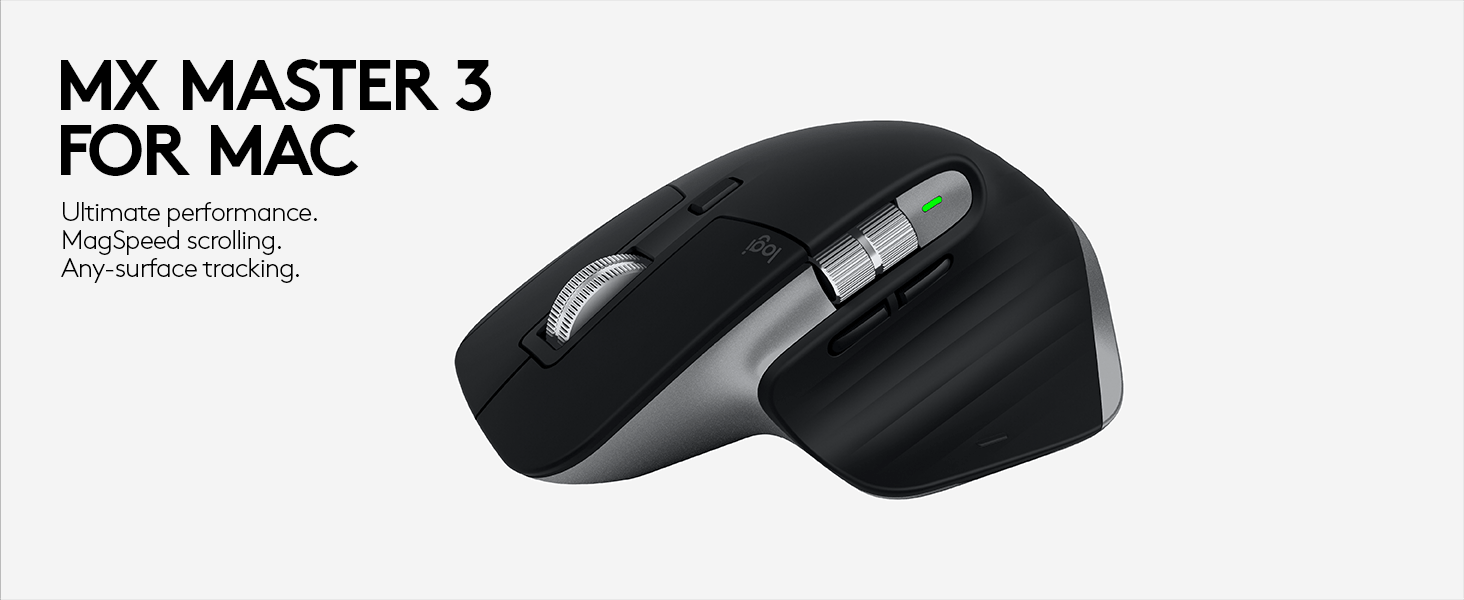
The Logitech MX Anywhere 3 for Mac is a compact, wireless mouse engineered for Mac and iPad users who demand precision and portability. Featuring a 4000 DPI sensor that tracks on virtually any surface including glass, an ultrafast MagSpeed scroll wheel, and up to 70 days of battery life with USB-C quick charging, it combines premium materials and ergonomic design for all-day comfort. Multi-device Bluetooth connectivity and app-specific button customizations make it the ultimate productivity tool for professionals on the move.


| ASIN | B089N5L1YQ |
| Average Battery Life (in hours) | 70 days |
| Batteries | 1 Lithium Polymer batteries required. (included) |
| Best Sellers Rank | #1,236 in Computer Mice |
| Brand | Logitech |
| Color | Pale Grey |
| Customer Reviews | 4.6 4.6 out of 5 stars (1,791) |
| Date First Available | September 21, 2020 |
| Hardware Platform | Mac |
| Item Dimensions LxWxH | 6.4 x 4.6 x 2.2 inches |
| Item Weight | 3.49 ounces |
| Item model number | 910-005899 |
| Manufacturer | Logitech |
| Operating System | Mac OS X 10.5 Leopard, iPadOS 13.4 |
| Power Source | Battery Powered |
| Product Dimensions | 6.4 x 4.6 x 2.2 inches |
| Series | MX Anywhere 3 |
B**B
A mouse a Left handed mouse guy can use.
I love this mouse. I am right handed but I have a bit of a wrist thing so I use my mouse with my left hand but a left handed mouse irritates my wife. This is the perfect compromise it works great in either hand. It says in it's name its for a mac. I have a mac but I also use it on my Dell with no problem so don't let that scare you away it's just a Logi mouse, it works on everything.
W**.
Capable basic mouse delivers on promise of anywhere
A bit pricey... but value is worth it, for a useful peripheral. Perfect for mobile: size not too small yet slim/compact for portablity. Wireless bluetooth connection pairs reliably and excellent battery life and works on any surface. When it comes time for amazingly quick re-charge... this "MX Anywhere 3 for Mac" version's USB-C to USB-C cable is perfect for new macs without need for USB-A converter... and the mouse's charging port is situated on the front (not on the underside) which permits ability to use the mouse while charging. Highly accurate, functions perfectly out of the box although (and I chose not to use it..) also has option to download/use "Logi Options+" app to further customize button and behavior functions (specific actions for programs such as Photoshop, Chrome, Excel, Final Cut Pro...).
J**R
Not fancy, but works great.
So far this a great wireless mouse and a great value. It moves super smoothly and does not drop the signal. It is ergonomic and well shaped. My wife like it so much, I bought one for myself.
M**G
Solid feeling mouse for home or travel use
I got this to replace a Logitech M535 on which the left-click button had failed after two years of daily use. The size and shape are nearly identical between the MX3 Anywhere and M535, however, the MX3 feels more substantial and "luxe". The additional weight on the MX3 isn't that all that great and shouldn't be a deal-breaker unless a few grams make a huge difference to you. I have a large hand and this mouse fits underneath my fingers. I can move the mouse easily with fingertip control and the heel of my hand resting on my mouse pad. My thumb and little finger do touch the mouse pad, but it is the same as with my old M535. I believe some people call this the "claw grip". The mouse slides smoothly and doesn't seem to catch, skip or grind. I found the side grips to work just fine and they feel good (smooth but not slippery, secure but not sticky). Tracking is smooth and accurate, the button click is positive and tactile. YES, there is a soft click when pressing the left or right button, so it isn't "silent". But honestly, I like the auditory feedback and I wouldn't call it loud at all. The metal scroll wheel is silent (even though you feel a gentle tactile feedback) smooth and the ridges give you positive control. I like the "superfast" response when you spin the scroll wheel quickly. I didn't find myself flying all over a webpage unless I consciously spun the scroll when quickly to get back to the top or bottom of the page. The Logitech software seems to work fine with Mac OS Monterrey for customizing mouse buttons and settings not covered in the Mac OS. I can't comment about battery life yet as I haven't had to recharge it yet after two weeks of daily use. I do like that it is rechargeable. The included charging cord seems to be well made. I did top off the mouse's charge overnight upon receiving it (regulations don't permit electronics to ship with a full charge for safety reasons) and it seemed to charge in a reasonable amount of time. I also like that the charge port is on the front of the mouse so you can continue to use it while it is charging. I've had no issues with connectivity. All in all, I am pleased with this purchase and feel it is worth the money.
F**T
A Step Backward from the 2S
UPDATE: I was able to configure the mouse to act the way I wanted it to (and resolved the horizontol scroll issue I mention below) using the Logtech Options software. BUT, it won't save through a reboot. I tried uninstalling/reinstalling/deleting and reinstalling drivers, saving profiles online, and even creating my own startup task to run Logitech Options on startup. None of this works. I found online that tons of people have had this problem with the Logitech software for years accross different versions and devices, and Logitech hasn't fixed it. I've decided to get rid of this mouse. The MX Anywhere series is my favorite line of mice. I have owned the original, the 2, and the 2S. They all have great battery life, are compact, are generally nice looking and convenient to use. But, the 3 is a step backward in my opinion. First, the changes are mostly cosmetic (and arguably not in a good way). Sure, they changed the scroll wheel to the magentic one found in the Master (I have a Master as well), but other than that, I don't see any sort of actual upgrades. In fairness, I accidentally ordered the Mac version, thinking I was just getting the white/grey option, but as I note below, that hasn't really affected the functionality (that I can tell). About the Mac version -- Although not advertised, It DOES pair with the USB unifying receiver. This was important to me because I have a dual boot system, and I didn't want to waste two of my device spots for the same laptop. So, Yay! Although not advertised, the USB functionality is there. Please note, though, that the mouse didn't want to switch between smooth and notched scrolling until I updated my Logitech Options app in Windows. No big deal. Ok, the downgrades -- the scroll wheel no longer clicks left and right. You supposedly can left/right scroll by holding either of the thumb buttons and scrolling with the wheel, but it doesn't work for me. :( Not sure if this is related to connecting via the Unifying Receiver or if it's a problem with the Mac version or something else. Anyway, the left and right clicks on the scroll wheel are gone. Boooooooo! It feels like my mouse just lost two buttons and got weaker. The mouse feels a tiny touch lighter (could be my imagination), which is probably a bonus in a travel mouse, but it feels a little cheaper. Conversely, my 2S has a slight rattle to it when I shake it, whereas this one makes no noise whatsoever. The sides of the 2S have a sort of a gem pattern finish to give it grip, whereas on the 3 they've used a series of ridges. The finish on the older mouse gives it a premium look and is more comfortable. The new finish is slicker and doesn't look as good. Now, the improvements -- ??? I guess, the magnetic scroll thing. I don't find it any better than the previous scroll technology they were using on the Anywhere series. There IS one definite improvement: USB-C connection. Another thing, which I find both positive and negative, is that the scroll wheel click now works like other mice. If you click it, you can then use the mouse to scroll in 360 degrees. That said, you could assign that functionality elsewhere on the 2S (like the button under the scroll wheel, which now just switches between smooth scroll and notched scroll; BUT, I preferred to use that button to switch between desktops). All of that said, both of these mice (the 2S and the 3) are customizable via the Logitech app, so you can mostly make them behave however you wish. But, for my money, the 3 is simply a step in the wrong direction. What Logitech could do to improve this mouse: revert to the old grip pattern (it's better); move the device selector somewhere else on the mouse (front right corner seems like a good place for three small recessed buttons OR left side towards the bottom front for thumb operation); bring back left/right clicks on the wheel; and add a second button to the top for desktop switching. Another device pairing or two would be great, but that's wishful thinking. That's a mouse I'd pay over $100 for. Conclusion: I'll probably give the 3 away and keep using my 2S. I'll probably buy a few more of the 2S just in case Logitech keep going down this route (Please don't ruin my favorite mouse, Logitech!). Disclaimer: I do not take advantage of the Flow software. It seems kind of gimmicky to me, to be honest, although I'm sure some people have a good use for it. Also, I have only used this mouse on Windows so far. If I run into other problems on Linux or Android I'll update the review.
Z**N
Perfect alternative to Magic Mouse
I normally use a Magic Trackpad, but sometimes I need a mouse. I tried Magic Mouse and strangely it didn't work well for me at all. This Logitech mouse is just right. The wheel is a bit odd the way it notches and then releases when you scroll quickly but you get used to it easily enough. It holds a charge for a long time and connects quickly every time.
M**A
I am a forever-user of Apple's Magic Mouse, and addicted to the magic mouse' top finger gesture abilities; I've been using it for so long, it has become second nature to me. But the Magic Mouse isn't a very good travel mouse, and has a lot of difficulty working on different surfaces. So after a ton of research, I bought the Logitech MX Anywhere 3 mouse. I honestly thought this mouse would be a big step down in productivity for me because there's no gestures-surface built into it. And yes, the first month or so of using it, I had to get used to it, get used to the muscle memory, changes, etc. For instance, I'd swipe between desktops constantly with a magic mouse using two fingers, but you have to program this kind of functionality into the physical buttons of the MX Anywhere. That said, once I got into using this mouse, and especially how you can completely program it for individual app usage, I really started to enjoy it, and now my overall productivity with the mouse, after about 2 months use, is near where I am with the Magic Mouse in some ways, and FASTER than the Magic Mouse in other ways. It works on almost literally any surface I use it on, from glass to rough textures to polished wood. Battery lasts forever. I also love that I can still use it when it is charging (you can't do that with the apple mouse). I've programmed in special functions for the main programs I use (lightroom, photoshop, brave browser, imovie, garage band) and it has boosted my productivity in those apps. This is a well designed mouse. Very much worth the purchase.
M**O
I've used dozens of mice over the years and this is by far the best one I've ever used. I bought it to use on the arm of an armchair, assuming the "Anywhere" part of the name would make it a good choice. It works extremely well on every surface I've tried it on. I like the size, the scroll wheel which can be used notched or untouched, I like how it recharges (far better than Apple's Magic Mouse), and I like that I can use it without any dongles or installing the Logitech software. I tried the software but it offered no benefit to me so I removed it and just use it with macOS preferences.
T**R
The mouse is smooth and the scrolling was ok, though it is the selling point. The most pain point is that it is too small for me which makes it hard to use unfortunately.
P**H
Love it
R**L
The only reason that you would buy a Logitech mx anywhere 3 mouse is for multiple MacBook and pc connections. Paired with the MX Mini keys keyboard and this Logitech mx anywhere 3 mouse you can pair and switch up to 3 computers on a HDMI switch box to one TV much like the old days of a KVM switch box. Here is the thing, the MX anywhere 3 mouse like the name says, can operate anywhere where there is a surface including a glass reflective surface; this saves a lot of room on tiny mobile desk. A Magic Mouse requires a good mouse pad to work efficiently. The second feature that is adored greatly is the charging port is at the front of the mouse where it should be so you can charge and still use the mouse at the same time. A Magic Mouse is a dead upside down mouse when you need to charge; like I never understood "WHY". The ability to switch between 3 computers either Mac or PC saves you from having a bunch of mouses on your desktop as you switch between systems. The only problem is that this MX anywhere mouse WILL NOT connect to an old Mac mini mid 2010. You will need at least OS Catalina to run Logi Options and you DO NEED to run Logi Options because the default mouse speed is ultra fast although you could just adjust your mouse cursor speed on your standard Mac mouse panel but that would affect your original Magic Mouse speed if you still have it connected. Lastly if you do need to connect the MX Anywhere mouse on the Mac mini you can use the unifying USB adapter but... you need an older version of the Logi Options (not found on Logitech website) to enable attaching the unifying adapter to the MX anywhere Mouse. Why go to all that trouble? well for me the Mac mini is one of 3 Macs that I have connected up and it would be nice to switch over my keyboard and mouse over to the Mac mini when needed. The MX anywhere mouse is connected with the unifying USB adapter to my Mac mini but the MX Mini Keys keyboard is not and I've ordered the Bolt receiver to see if I could pair it that way. Too much work. But for now the MX Anywhere mouse is useful and "OK" across two MacBooks and one gaming PC. Keeps my desk clean with only one MX Mini Keys keyboard and one MX Anywhere Mouse
Trustpilot
Hace 4 días
Hace 2 meses