We remain fully operational. Our teams are working around the clock to ensure your deliveries continue safely.

Descargar la aplicación


Servicios al cliente
Sobre nosotros
Copyright © 2025 Desertcart Holdings Limited
Descargar la aplicación
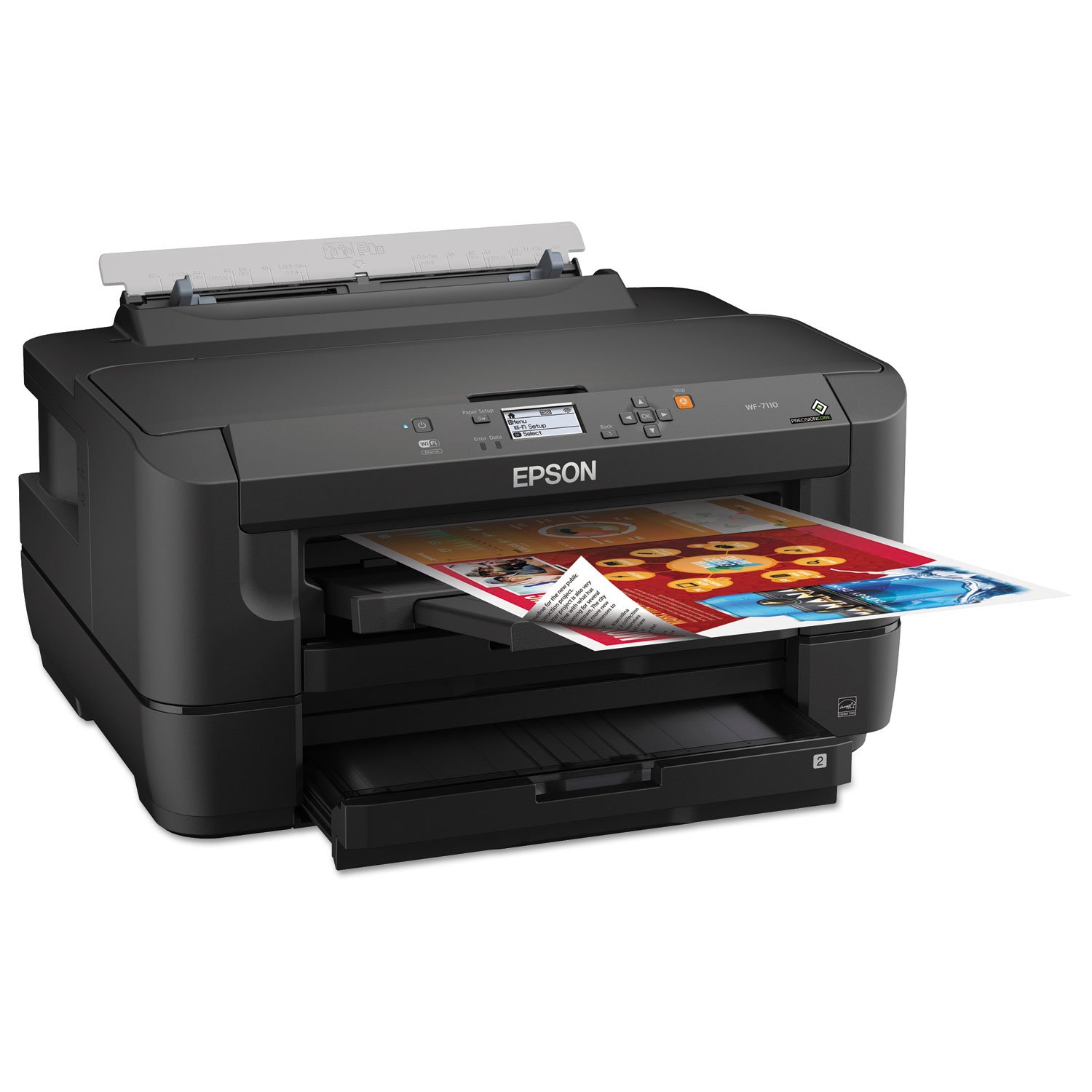
desertcart.com: Epson WorkForce WF-7110 Wireless and WiFi Direct, Wide-Format Color Inkjet Pr Review: Setup was super simple unlike my last printer I got 6 years ... - So far this thing is a dream. Had it a couple weeks now. I'll try to remember to update as time goes on. Setup was super simple unlike my last printer I got 6 years ago. We're using this WF-7110 wireless for all 4 desktops in the house and setup was super duper simple. Again unlike my last printer that was wireless we could never get it working but this one one works on both our Win 7 and Win 8.1 machines. Prints are AMAZING! I added two photos that I printed out and scanned. They look even better in person but you can tell here how high quality the prints are. What really amazed me specifically was the dithering of colors where they blend or something is supposed to be translucent over-top another color... prints perfectly smooth. I was on the fence between this WF-7110 and the Artisan 1430. If you go to the Epson website and look at the detailed specs between the two... nearly identical. Without having both and doing test prints I'm not sure how you could tell the difference. My best *guess* is that since the Artisan 1430 has more color cartridges that you *might* get superior color quality and color matching. They also use slightly different ink types. Best I could find for differences in other peoples reviews were that the 1430 was better for actual photo printing. The 7110 will do photo printing but there was a complaint that the dye based ink in the 7110 dries very slowly on the glossy photo paper and you have to be super careful not to touch the print for a day. Well our use case was not for photo prints. We do lots of card-stock crafts like models, party invites, decorations, etc. etc. Also print out lots of lists, short term calendars, kids homework projects, and such. Another aspect of the print quality that found astonishing was how sharp the text is. It's truly as good as any laser I've ever seen. That's usually where the laser printers are superior; sharp lines, edges, corners... Epson wasn't kidding when they said it beats leaser printers. As with my previous printer I went ahead and bought ink cartridges that you refill yourself. There's an inksupply company you can find that sells kits. Simply look up the make and model. This drives the price-per-print so low that you're more concerned with the price of paper than ink! I jut hope we can get another 6 years out of this printer. Review: Great Upgrade for Epson Printers - I know the early reviews for this printer weren't great, but I took a chance anyway because I needed a new stand-alone printer that could print up to 11" x 17" paper to replace my old Epson Workforce that died after 4 years of heavy use. This is a very large unit compared to my old printer, but overall, I'm very pleased with its performance. There are 2 trays that accommodate all sorts of paper sizes, including envelopes. Plus there's a direct feed port in the back for printing thicker items like card stock. I had no problem hooking up the printer; I'm using it via ethernet. It is able to select which cassette to use automatically. I'm thrilled with how easy it is to print envelopes compared to earlier printers I've owned. I also like the new inks that don't smear. And I'm happy to say that so far it's handled card stock without any problems. After a few weeks of all sorts of printing, I don't have any complaints, except, of course, the price of the ink tanks!


| ASIN | B00JXLGEUM |
| Compatible Devices | Laptops, PC, Smartphones |
| Control Method | App |
| Customer Reviews | 4.0 4.0 out of 5 stars (170) |
| Date First Available | June 2, 2014 |
| Dual-sided printing | Yes |
| Duplex | Automatic |
| Global Trade Identification Number | 00010343908208 |
| Hardware Interface | USB 2.0 |
| Ink Color | Cyan, Magenta, Yellow, Black |
| Is Discontinued By Manufacturer | No |
| Item Weight | 40.9 pounds |
| Item model number | C11CC99201 |
| Manufacturer | Epson |
| Max Input Sheet Capacity | 500 |
| Maximum Media Size | 13 x 19 inch |
| Memory Storage Capacity | 1 GB |
| Model Series | WorkForce |
| Number of Trays | 4 |
| Power Consumption | 22 Watts |
| Print media | Envelopes, Glossy photo paper, Paper (plain) |
| Product Dimensions | 22.2 x 28.6 x 16.4 inches |
| Scanner Type | Photo, Sheetfed |
| Sheet Size | 13 inch x 19 Inches |
| Total Ethernet Ports | 1 |
| UPC | 010343908208 |
| Wattage | 22 watts |
M**S
Setup was super simple unlike my last printer I got 6 years ...
So far this thing is a dream. Had it a couple weeks now. I'll try to remember to update as time goes on. Setup was super simple unlike my last printer I got 6 years ago. We're using this WF-7110 wireless for all 4 desktops in the house and setup was super duper simple. Again unlike my last printer that was wireless we could never get it working but this one one works on both our Win 7 and Win 8.1 machines. Prints are AMAZING! I added two photos that I printed out and scanned. They look even better in person but you can tell here how high quality the prints are. What really amazed me specifically was the dithering of colors where they blend or something is supposed to be translucent over-top another color... prints perfectly smooth. I was on the fence between this WF-7110 and the Artisan 1430. If you go to the Epson website and look at the detailed specs between the two... nearly identical. Without having both and doing test prints I'm not sure how you could tell the difference. My best *guess* is that since the Artisan 1430 has more color cartridges that you *might* get superior color quality and color matching. They also use slightly different ink types. Best I could find for differences in other peoples reviews were that the 1430 was better for actual photo printing. The 7110 will do photo printing but there was a complaint that the dye based ink in the 7110 dries very slowly on the glossy photo paper and you have to be super careful not to touch the print for a day. Well our use case was not for photo prints. We do lots of card-stock crafts like models, party invites, decorations, etc. etc. Also print out lots of lists, short term calendars, kids homework projects, and such. Another aspect of the print quality that found astonishing was how sharp the text is. It's truly as good as any laser I've ever seen. That's usually where the laser printers are superior; sharp lines, edges, corners... Epson wasn't kidding when they said it beats leaser printers. As with my previous printer I went ahead and bought ink cartridges that you refill yourself. There's an inksupply company you can find that sells kits. Simply look up the make and model. This drives the price-per-print so low that you're more concerned with the price of paper than ink! I jut hope we can get another 6 years out of this printer.
E**R
Great Upgrade for Epson Printers
I know the early reviews for this printer weren't great, but I took a chance anyway because I needed a new stand-alone printer that could print up to 11" x 17" paper to replace my old Epson Workforce that died after 4 years of heavy use. This is a very large unit compared to my old printer, but overall, I'm very pleased with its performance. There are 2 trays that accommodate all sorts of paper sizes, including envelopes. Plus there's a direct feed port in the back for printing thicker items like card stock. I had no problem hooking up the printer; I'm using it via ethernet. It is able to select which cassette to use automatically. I'm thrilled with how easy it is to print envelopes compared to earlier printers I've owned. I also like the new inks that don't smear. And I'm happy to say that so far it's handled card stock without any problems. After a few weeks of all sorts of printing, I don't have any complaints, except, of course, the price of the ink tanks!
S**2
Fast and precise
Fast and precise but much bigger than expected. Measure your space, add room to allow you to use the top sheet feeder. Output tray folds down from the front. Sets up like everybody and the instruction says, plug it into a USB on your computer to set up the WiFi. You can remove the cable once it's set up. Not pro quality photo printing but quite adequate for home and family. It does shake around a bit as the print head move quickly inside that big body. So place it on a sturdy stand or table. Just hope it lasts a few more years than my cheap inkjet. Well it’s been more than a year. Not happy with this printer as at first. This thing eats ink like no other. Tried Ink Owl and that didn’t work as expected. I guess inkjets need to be used regularly to keep the jets flowing. I have not used it sometimes for weeks. Head clogs and does not clean easily—lots of ink used. So it’s not good for people who do not print frequently.
X**A
excelente impresora para negocios, yo la uso con tintas recargables y todo bien, lo mejor es que imprime en A3+ sin problemas
W**O
Love my Epson. It is a rather large machine so don't get a fright with the size. It is a wide format machine with 3 trays, I leave the one with 11x17 sheets in it, one with 8.5x11 sheets and the rear tray for any size. Definitely a great price too.
J**K
But ink is freakin expense.
R**O
Buen equipo, pero tener en cuenta que devora cartuchos de tinta. solo vale la pena con sistema de tinta continua.
A**R
Unbelieveable. I order a brand new epson 7110 for my shirt business. Open it up and try to set it up and guess what? The initial nozzle test failed to show colour. Really disappointed that i was not able to print even the test colour paper. Its HUGE printer to take back to Canada post. Amzon needs to really come down on the quality. Can't believe this was sold by epson directly
Trustpilot
Hace 2 días
Hace 2 meses