Some deliveries may take a little longer than usual due to regional shipping conditions.

Descargar la aplicación


Servicios al cliente
Sobre nosotros
Copyright © 2025 Desertcart Holdings Limited
Descargar la aplicación
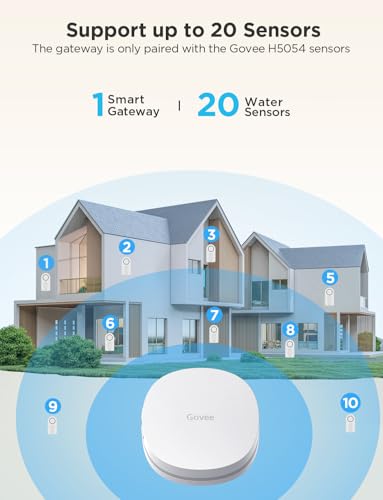









💧 Stay dry, stay ahead — never miss a drip with Govee’s smart water guardian!
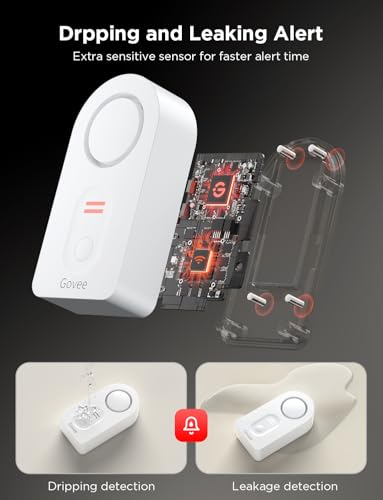
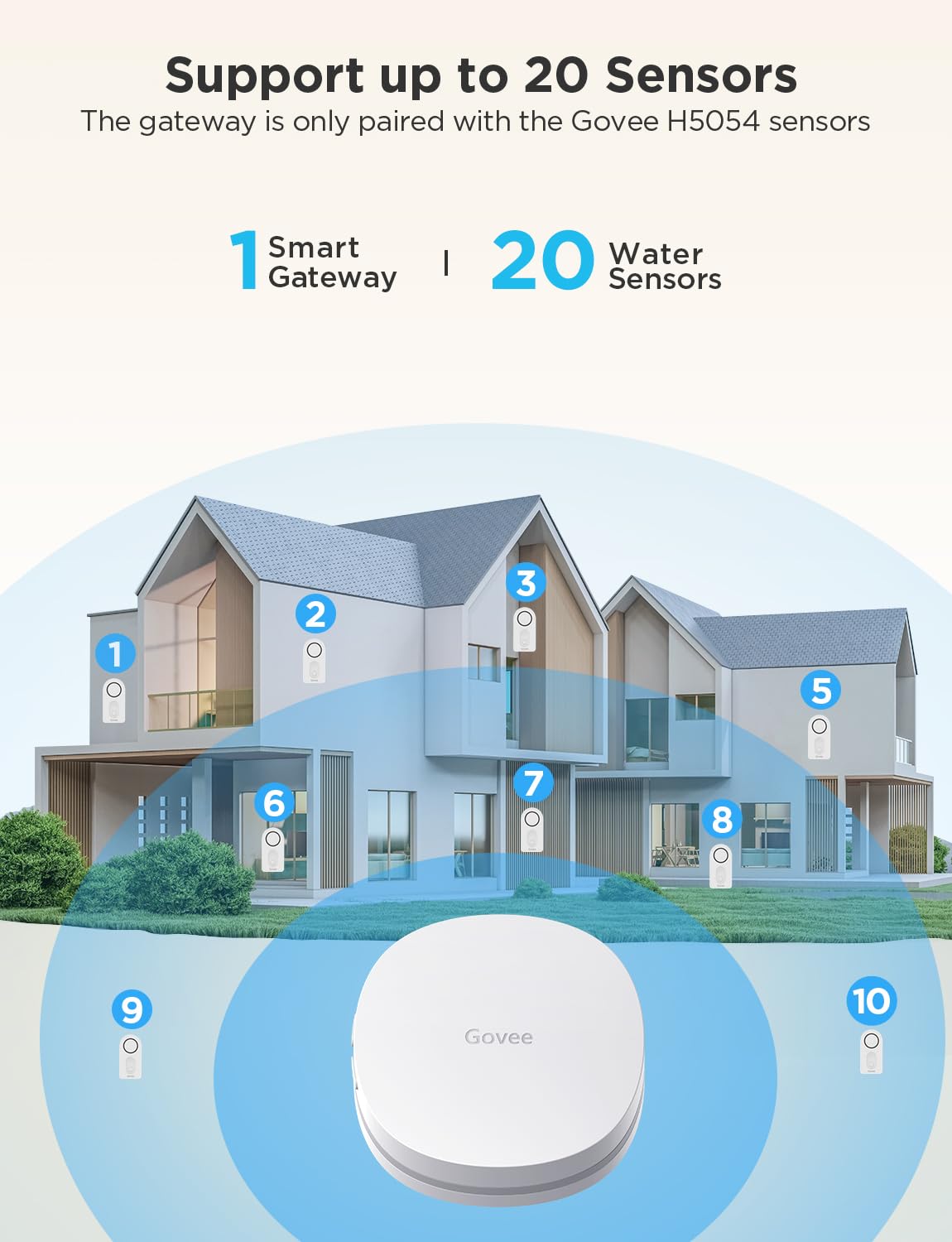
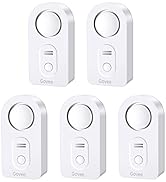
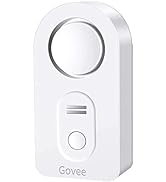
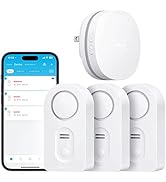
The Govee WiFi Water Sensor is a smart leak detector designed for home and basement use, featuring a powerful 100dB adjustable alarm and real-time notifications via app and email. It supports up to 20 sensors connected through a 2.4G WiFi gateway, enabling comprehensive water leak monitoring. With precise drip and leak detection probes and customizable alerts, it offers proactive protection against water damage in a compact, easy-to-install design.







| ASIN | B07QP153GT |
| Batteries | 2 AAA batteries required. (included) |
| Batteries Included? | Yes |
| Batteries Required? | Yes |
| Battery Cell Type | Alkaline |
| Best Sellers Rank | #3,284 in Tools & Home Improvement ( See Top 100 in Tools & Home Improvement ) #4 in Water Detectors & Alarms |
| Control Method | App |
| Customer Reviews | 4.2 4.2 out of 5 stars (14,921) |
| Date First Available | April 18, 2019 |
| Item Weight | 6.4 ounces |
| Item model number | H5040+H5054 |
| Manufacturer | Govee |
| Mounting Type | Tabletop Mount |
| Noise Level | 100 Decibels |
| Number of Batteries | 2 AAA batteries required. (included) |
| Part Number | B5040105 |
| Product Dimensions | 4.88 x 3.66 x 2.87 inches |
| Sensor Technology | Contact Sensor |
| Smart Home Compatibility | Smart Home Compatible |
| Style | 1 sensor + Gateway |
| UPC | 741663591664 706597349828 |
| Voltage | 3 Volts (DC) |
S**K
It works, be patient
The instructions are pretty weak. It took me several tries to get everything connected. The key is connecting your phone to 2.4 and then connecting your phone to the gateway and then connecting up your sensors. After that everything was great. The app works fine for me. Tested out a sensor and it sent an alert to my phone. Running the latest IOS.
B**G
Must have for the protection of a water leak!
Highly recommend this product for the what-if scenario of detecting a water leak. It works great and easy to installation. The size is minimal and doesn’t take up a lot of space. It even gives you a leak detection when there is slight condensation. When detected you can hear it perfectly clear!
G**E
Impressive, would buy again. (Take time to read other reviews to make your installation easier.)
We bought this sensor kit with some extra sensors two weeks ago to help monitor the house while we were on vacation. Setup was easy after an hour of unnecessarily confusion. Included batteries worked fine, it's a new installation so I cannot comment on battery life. The manufacture's directions are unclear ... THANK YOU to the Amazon reviewers who wrote terrific explanations to help the rest of us. How well does the Govee app protect privacy? This is not an accusation, it's just an unknown. So I didn't want it installed on the phone I use everyday. Here's an option that also makes it easy to connect to the required 2.4 GHz wifi: I installed the app on an old iPhone that's connected to our router's 2.4GHz "guest WiFi". Using the old phone, and after struggling with the unclear directions, the Gateway connected to guest WiFi and all six detectors paired to their gateway. I also assigned the detectors to location names (e.g. "Water Heater"), so any alerts would immediately direct me to the problem. Then I tested one detector; SUCCESS!!! The audible alarm sounded immediately. Then, within a minute this email arrived: "Your "H5054_48C5" has detected water leakage. Check the area soon to avoid water damage." Glad that the alert system works, I know there's a problem somewhere, but that cryptic serial number doesn't help to find it. Suggest that Govee add "location" to their alert messages. So I like this product. If Govee adds clarity to the installation directions and alert messages they would fully earn a five-star rating! ****
D**H
easy to use and setup
nice product. very economical and it works great. easy to setup
C**S
SECURITY RISK. CAN'T RECOMMEND AT THIS TIME.
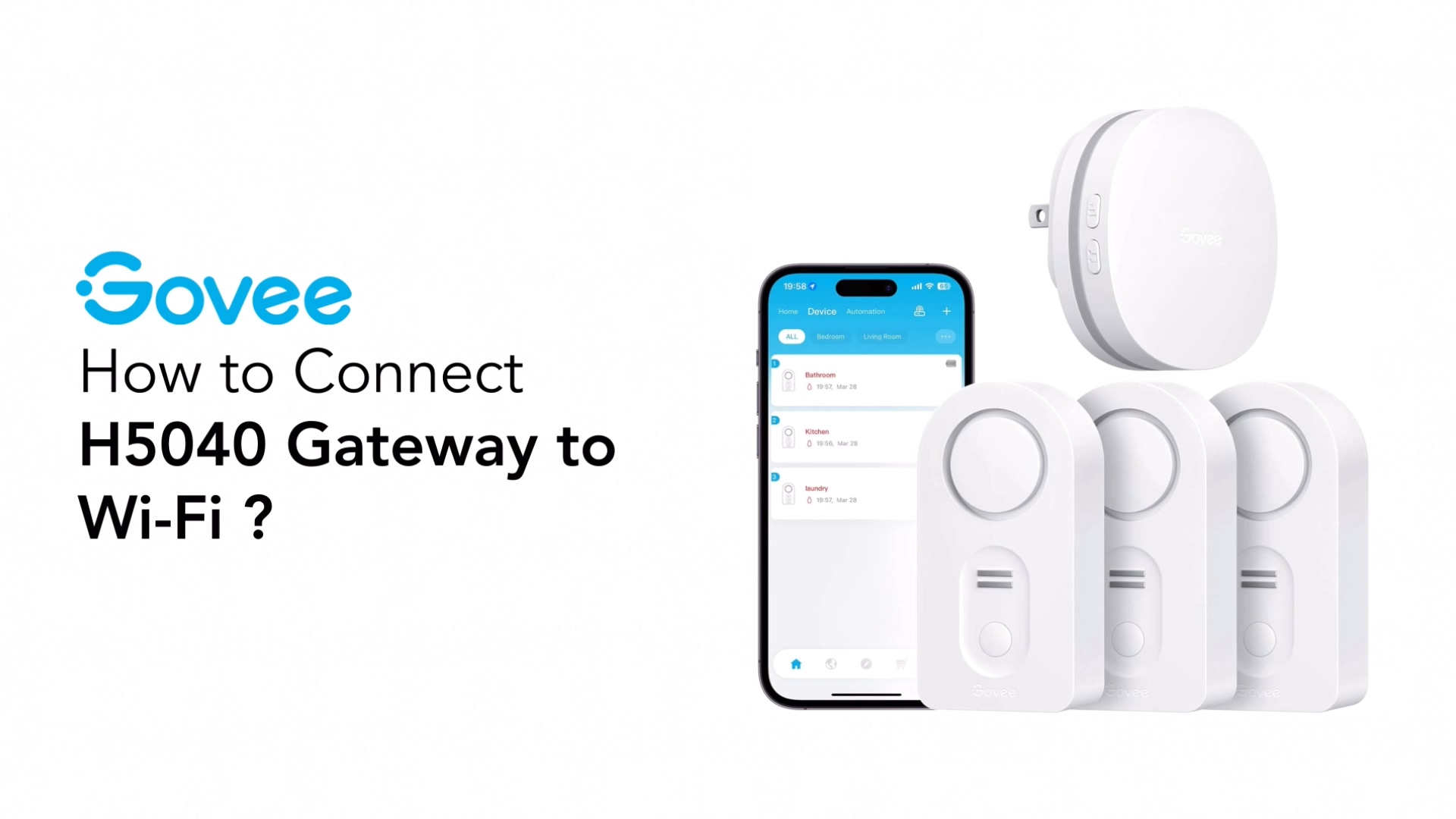
Update 10/7 Govee got back to me. If this Support Engineer's description and troubleshooting steps are right, no one should buy this kit at this time. First off, if you use an Eero, as I said before, it won't work out of the box and it requires a support call to them to disable 5GHz (shame on you Eero for not making that a user toggle, BTW). But here's the issue -- look at #6(A). The password recommendation is 8 characters, numbers and letters only. From what I can tell so far, that isn't a temporary thing. If you want Govee to stay on your network, you have to basically give your WiFi the security of a piece of Swiss cheese. No WiFi password in this day and age should be 8 characters. With access to a botnet or AWS instance farm, a WarDriver or your neighborhood script kiddie will have it cracked in minutes, or in the best case for them, a couple of days. This is unacceptable and I don't know how this could have scored an 'Amazon's Choice' banner with that level of insecurity. I've responded asking if there is a way to reload the firmware on the device and if they have anything in a Beta stage that could be tested to resolve these issues. If not, this is getting returned. Here are Govee's troubleshooting steps and notes: If the gateway is unable to connect to WiFi, please follow this troubleshooting: (1) If the mobile phone WLAN/Wi-Fi switch is not turned on during setup, there is no WiFi list selection, please go to the phone settings page to re-open the mobile phone WLAN/Wi-Fi until the prompt disappears. (2) In the WiFi setting interface of the APP, please fill in the your home WiFi account and password correctly. If you need to switch WiFi, please do not choose the WiFi named "Govee_gateway_XXXX"; (3) Please check if the network standard is 5G network, please switch to 2.4G network standard and restart the router. (No supports 5G) If the router supports dual-frecuency, please turn off 5GHz before connecting:) (4) Please check if the WiFi network is normal. Please use the mobile phone to connect to the WiFi network to confirm that the network communication is normal. (5) Please check if the WiFi network account and password are correct or not, and enter the correct account and password to reconnect. (6) If the WiFi account number and password are not compatible, please mo-dify them to a simple (number and letter combination) account and password before connecting. A. The password length is recommended to be 8 digits. There can't be any special symbols (eg: '=&<>"" {}) in the WIFI name and password. B. If the router has the anti-mite network function enabled, please disable it. C.Please chan-ge the encryption method in the router settings to TKIP&AES; D. Due to the difference of routers, if the above methods can not solve the problem, please restart the router or chan-ge a router to have a try; (7) When APP prompts you to connect a WiFi starting with Govee_gateway_XXXX, and you can't find it in the WLAN setting, please check if the light on the gateway is flashing slowly blue or not. If not, press long the WiFi pairing key for 3 seconds until the blue indicator light flashes slowly. (8) If the router is not compatible with the device, please use the mobile phone hotspot to connect. (9) Please turn on GPS/location and Bluetooth. (10) Please log in to the router and enter its security settings interface to disable Mac address filtering. (11) As for IOS, please note that there will be an extra blank, please de-lete it when you enter WIFI password, thank you! (12) One example from our customer: complete setup if I disabled mobile data connection on my phone. Gateway to WIFI: https://youtu.be/m_A_4Fg0Jd0 Update 10/4 I spent over an hour on the phone with Eero Support working through this and they turned off the 5GHz band completely, and the gateway still wouldn't connect, and they never saw it try to connect during the setup process. Still haven't heard back from Govee despite two requests within the app and multiple emails directly to Support. About to return this. I had high hopes for this little kit, and it looked like it was precisely what I needed. I read the reviews and ignored the negatives thinking 'surely, in a network as well built and modern as mine, there won't be issues, after all, I've not had any problems with other 2.4GHz only devices'. Don't make that mistake. It seems that this system works if you have a 1994 WiFi setup with horrible security, no band steering and don't use a mesh of any sort. If your WiFi setup is in any wise modern, don't bother. I don't generally say flat-out to not buy a product, but I have yet to get something even close to working or get a response from the company. I run an Eero Pro configuration and have terrific WiFi throughout the house. The system supports both 2.4GHz and 5GHz bands simultaneously, with band steering technology in place. The WiFi 5040 gateway Govee has built simply will NOT connect to it, no matter what I do. I have other 2.4GHz only devices, some of them pretty old, that work flawlessly with Eero. I don't think it's an AP/Mesh problem, it looks to be a client problem entirely. I thought it was the password being too complex, based on some reviews that said simplifying their password helped. Turned on Guest access with a horrific password, and it didn't make any difference. Thought maybe the beta band steering I have enabled was causing an issue, so I turned that off and started again. Nope, no dice. I happen to have a mobile hotspot that operates in a fixed 2.4GHz band for WiFi, still wouldn't connect to that, though I'm still suspecting that connection issue is related to the complex password I have on that device, but it's too troublesome to change that for me to keep troubleshooting. Support? They don't reply if I log a problem via the app or an email, so I can't really say they have good or bad support, because from my perspective they have NO support. What's so painful to me is I'd be willing to help them figure out what's going on if they'd only respond. I work in the tech space, and troubleshooting these sorts of things is something I do all the time. As it is I'm going to have to explore other solutions.
M**M
After almost 5 years, still working great!
These Leak Detectors have worked great. I bought an extra set and have them all over my house. They definitely go off if there is a leak. I also get an alert in my email, which is helpful since I have a large, old house. In addition, you get an email alert when the batteries are getting low, which has just started after 4 and a half years. It actually works as advertised, unlike my smoke alarms.
M**G
Resolvio todos mis problemas con fugas avisandome en tiempo real cualquier accidente
F**A
After 9 months of use, the gateway keeps on disconnecting without connecting back to the WiFi. Became useless. Contacted the seller for warranty. Was told to contact Govee directly, who said this seller isn’t an authorised one and warranty is void... A joke... Avoid this seller by all means. The product itself is nice. Buy directly from Govee and you’ll be on the safe side.
L**Y
Govee WiFi Water Sensor 3 Pack, Water Leak Detector 100dB Adjustable Alarm and App Alerts, Leak and Drip Alert with Email, Wireless Detector for Home, Basement(Not Support 5G WiFi) These are cost-effective Wi-Fi enabled water leak sensor devices. This pack comes with three wireless sensors that check in to a single Wi-Fi plug-in hub. This type of design allows you to buy many sensors for a cost-effective price. There are other water leak sensors that have Wi-Fi built into the leak sensor itself however the obvious trade-off here is that each of those are typically 40 to $70. With this type of design each water sensor uses a 433 MHz RF signal to the central hub. And the hub itself connects to Wi-Fi using 2.4 GHz Wi-Fi. Because of the low RF range it is quite capable to be placed pretty much anywhere in your house and reach the Wi-Fi hub. The water detection is very quick and it notifies your phone and sends an email. Within 10 seconds of detection you will get a phone app notification as well as an email and obviously you will hear the siren go off loudly. The water leak sensors have three volume levels for the siren. Basically you would want to set this to the high level. Each of these sensors uses two AAA batteries. The anxiety that one day you will run out of batteries on a sensor is eliminated by the fact that it checks into the app and your phone app displays the battery level of each sensor independently. Each sensor can be labeled to however you want to be descriptive. In order to figure out which sensor is which, you basically trigger the water sensor and the app tells you which one is firing and from that point on you know which sensor to label. This is a very nice water leak detection system not only because it works quickly, but it being wifi enabled to your phone with minimal notification delay, is just invaluable. Disclosure: I own a few dlink water sensors which are all stand alone wifi enabled detectors and they cost 70$ each!!! Quite frankly this govee system works better and notifies you quicker even! I also own non connected water detection sirens..they work great too , you just never know when the battery is dead ... And you never know if it's going off when you're not home. I recommend this over D-Link and any other non wifi enabled devices. . Hope this helps
W**F
My Honeywell/Resideo water leak detectors have given great service for years until recently when one has refused to connect via bluetooth and another has started eating batteries. I thought I'd give the Govee units a try and the price for 3 with the required gateway was WAY below the replacement cost for ONE Resideo. The set up was easy and all 3 units were connected to the app without issue. I saw the issue someone else had with identifying the individual detectors so you can assign the right one to the right place. I just put each one (well, 2 of 3 actually) into alarm mode, saw the code for the one alarming in the notification on the app and assigned it accordingly. Not a big deal and I marked the data in Sharpie on each unit for future reference. I still have 3 Resideos in service and now I have 3 new Govees. I expect to add more Govees as the Resideos age out. Nice, fast notification of alarms on my iPhone. Good product.
I**W
Pros - Loud Alarm with 3 volume levels and mute. - Compact and Portable - 1 sensor on top and two on the bottom - works with Alexa - sends email when leak detected - so far now issues when testing. Alarm goes off right away but needs to be about .5mm deep. It won’t go off if it is just on a damp surface. - Decent phone app, but a little overcomplicated for my use case, I just want the sensors support, not all the other smart devices. - Option to add more sensors to the hub (or smart devices). Cons - App does not tell you the battery level of the sensors or even if the sensors are connected. This is really terrible. You’ll need to manually test both of these periodically and I’m sure I’ll forget once the battery actually dies. But note units are supposed to start beeping on low battery. - Battery door has 4 screws you need to remove. I can see one, but four? Comments - Added Alex routine to announce “Water leak detected at Kitchen Sink” to all my echo’s in the house. You’ll need to set this up for each sensor, but it’s great that it works. - You need to create an account. Most devices require this nowadays I find. If you have a water leak (I have), these sensors can easily save you far more than they cost. My buddy had over $20K damage when his fridge water leaked and he was at work. Overall it’s a great set and I got it on prime days for $66 but is regularly around $90. The only thing I really dislike is that it doesn’t tell any information about your sensors (battery, connectivity). I understand that they want to preserve battery life, but even if it only checked once a day that would be fine. I only added one device to start off with (left the battery tab in for the other two). But according to the app all devices were operational, even though 2 had never been connected.
Trustpilot
Hace 2 semanas
Hace 3 días