🎯 Level up your reality — VR that fits your fast-paced lifestyle!
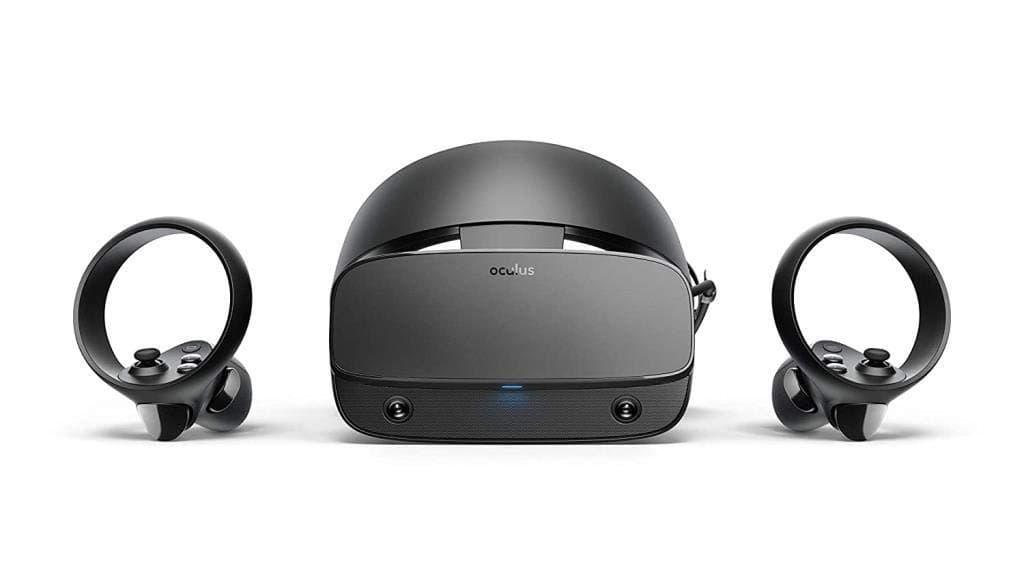
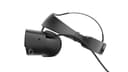
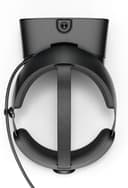
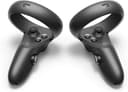
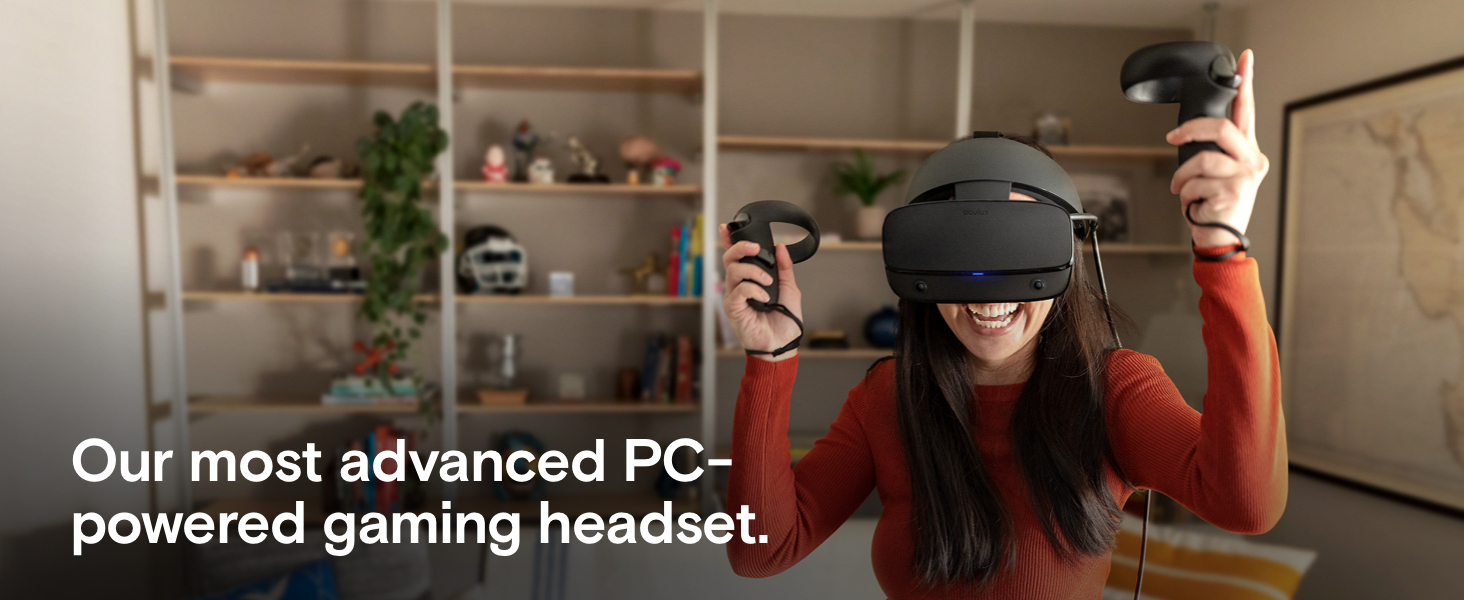
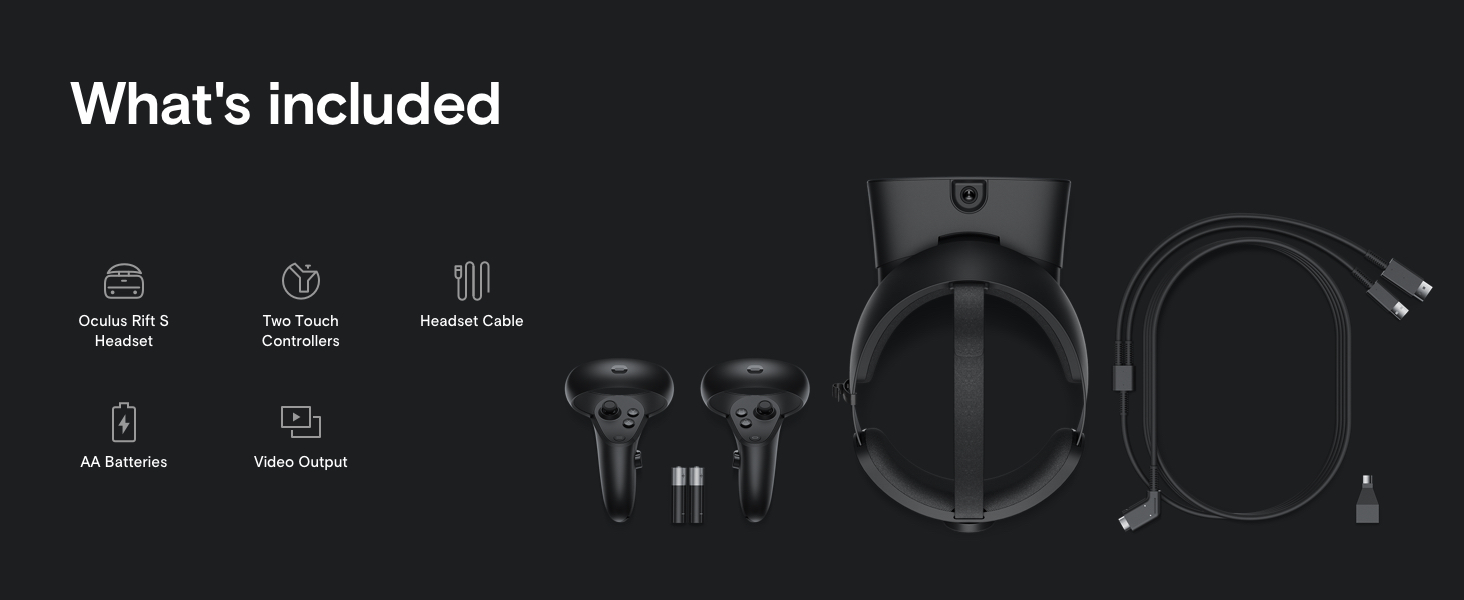
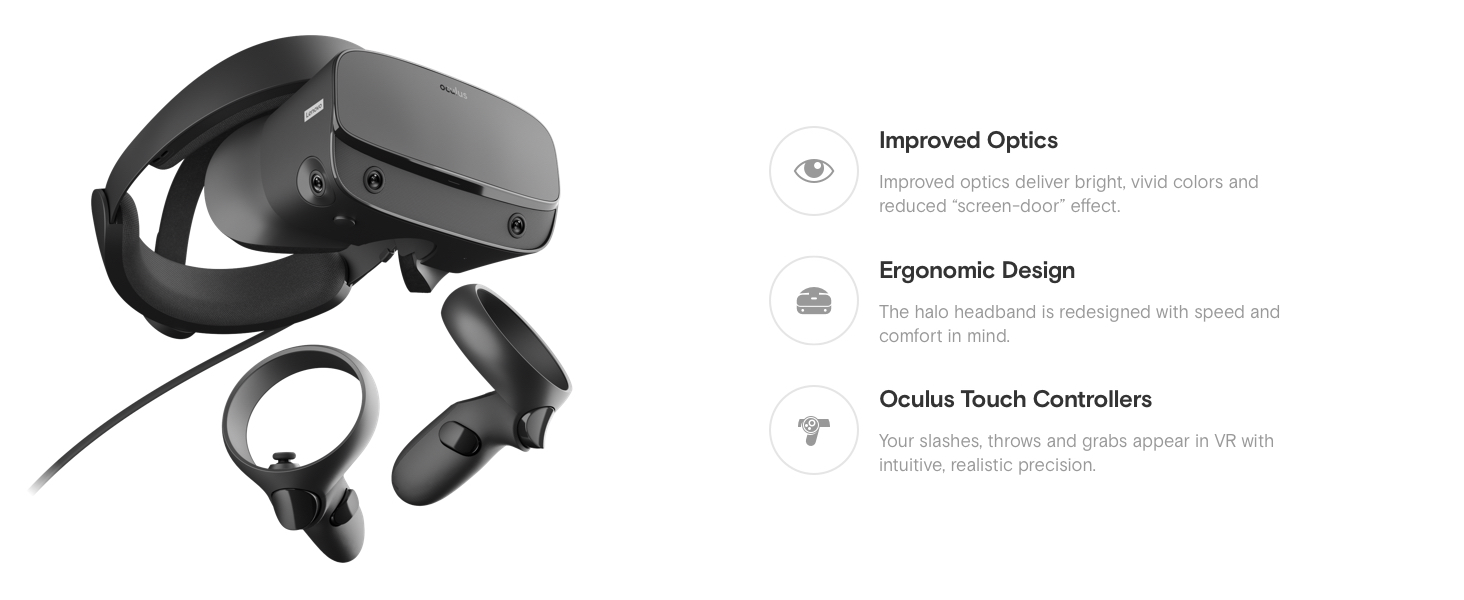
The Oculus Rift S is a PC-powered VR headset delivering a premium gaming experience with access to hundreds of Oculus Store titles. Featuring next-generation optics for vivid visuals and reduced screen-door effect, it offers ergonomic comfort with a redesigned Halo strap and quick-fit wheel. Oculus Insight inside-out tracking provides room-scale VR without external sensors, while updated Oculus Touch controllers enable precise, intuitive hand interactions. Ideal for professionals seeking immersive, hassle-free VR gaming with seamless social connectivity via Facebook integration.


| ASIN | B07PTMKYS7 |
| Batteries | 4 AA batteries required. (included) |
| Best Sellers Rank | #22,526 in Video Games ( See Top 100 in Video Games ) #286 in PC Virtual Reality Headsets |
| Customer Reviews | 4.3 4.3 out of 5 stars (18,749) |
| Date First Available | March 18, 2019 |
| Is Discontinued By Manufacturer | No |
| Item Weight | 4.9 ounces |
| Item model number | 301-00178-01 |
| Language | English |
| Manufacturer | Oculus |
| Product Dimensions | 10.94 x 6.3 x 8.27 inches; 4.94 ounces |
| Release date | May 21, 2019 |
| Type of item | Video Game |
Q**K
THE VR Headset to Buy
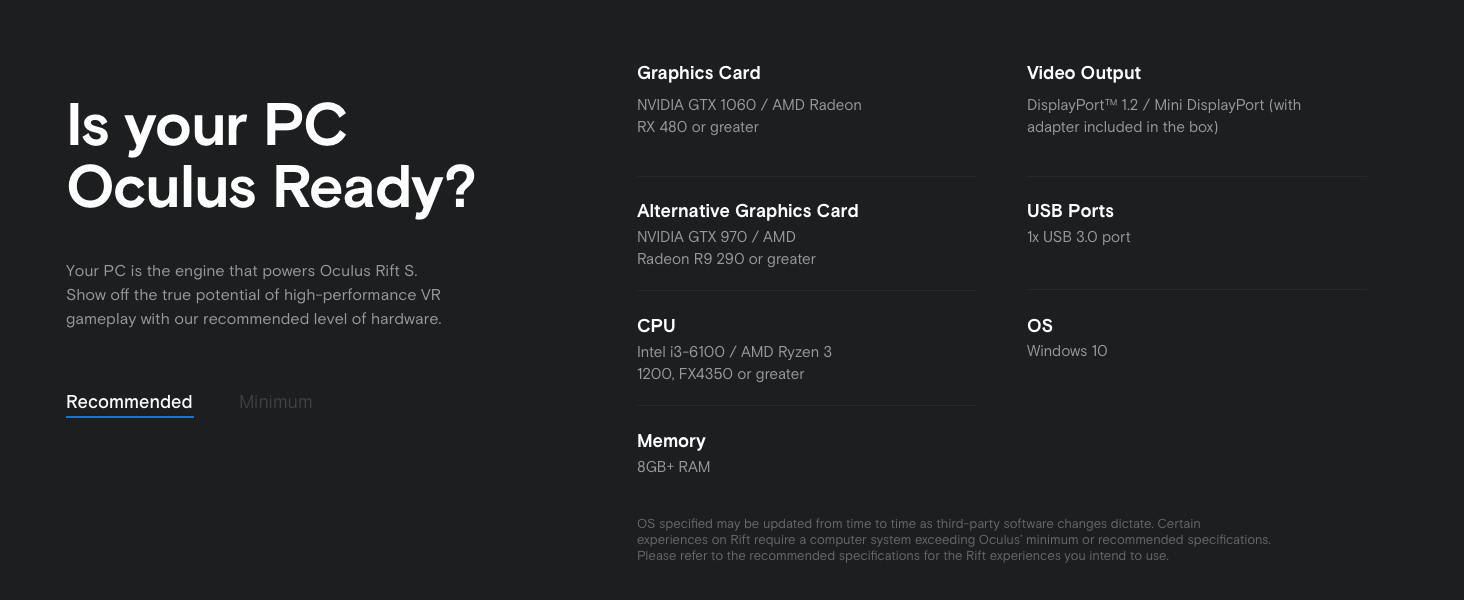
I have been completely blown away by the quality of the Rift S given it's $400 MSRP. The price and quality of this headset make it THE headset to buy in 2020. Any apprehensions I had about this device were completely smashed after my purchase and use. Inside-Out Tracking/Room Scale. Is the Rift S tracking as good as the Vive/Index that use multiple towers and outside-in tracking? No, BUT, during gameplay is there any noticeable or meaningful differences in the Rift S? Also no. I don't know how Oculus has done it, but the tracking in this headset is phenomenal given you need no towers or outside sensors to dive into a VR title. While it's not AS good as other methods if you really test it and look for flaws, you wont notice in normal gameplay and the Oculus' inside-out tracking makes it much more portable and easy to set up. A definite win for this headset. 80hz Displays. I game at 144hz on my desktop monitors and was expecting to find issue with the 80hz displays built into the Rift S. Surprisingly, I rarely ever notice and when I do, it's the fault of my aging GPU causing hitching and not the displays. Is it as good as the 120hz displays on the Index? No, but it's also less than half the price. Display Clarity/Quality. I expected to have visual compromises in a $400 VR headset. Imagine my surprise to find that the Rift S looks MILES better than the HTC Vive. The "screen door effect" of this headset is very, very minimal, and the picture is much clearer than expected. About the only time I've ever found myself squinting because it was hard to see was on the rare occasions that I'd be tinkering with settings in a browser or application while mirroring my desktop in VR. Halo Strap. I didn't think it would be comfortable, but it is hands down the best VR strap I've ever used. But, there is a learning curve to figuring out the proper way to put this headset on so that it's comfortable and fits well - be sure to do some reading online because Oculus does a poor job of explaining the best way to use this somewhat unintuitive headset strap. Once you find the proper fit, you'll be able to play for hours comfortably. Durability. As soon as I opened the Rift S I immediately became apprehensive of the durability of the Halo strap, mounting point of the display to the Halo strap, and thick kink-prone cables. The concerns I had with the Halo strap and mounting point for the headset are all but gone after many on/off repetitions and a few hard bumps. Inevitably, the cable will get kinks, but it's thick, sturdy, and has survived being yanked out of the top of the headset display a couple of times. At the end of the day, I'm satisfied that the Rift S will last years. Worst case, if it doesn't, the halo strap can be replaced for $60 and the cable for $80 (both are available to purchase from the Oculus website). Built-in Speakers. Me, before buying the Rift S: "How can tiny speakers built into the strap of a headset sound like anything but complete garbage? At least I can plug my good Shure earbuds into it." Me after buying the Rift S: "I'd rather use the built-in speakers than mess with headphones and cables." Are the built-in speakers bass-thumping mad-houses? Absolutely not. But the sound is very crisp and clear, has plenty of volume, and the positional audio is surprisingly great. Other Observations: Camera View - You can set a shortcut so that the double-tap of the menu button turns on the exterior camera view, this comes in handy. Controllers - I expected these to be better than the god-awful Vive wands, they are. These controllers are comfortable and intuitive. Battery-powered is a plus, they tend to last for a couple weeks with heavy use and only 1 AA battery is needed per controller. Storage - I recommend getting a small case to store this headset in, due to the long cable and multiple peripherals it'll quickly clutter up your computer desk/office. It's very easy to set up/teardown because there is only one cable to plug in and no towers. Steam Integration - This headset integrates with Steam VR pretty seamlessly, and built-in access to the Oculus store is a plus. Displayport REQUIRED: Read the fine print people. You MUST have Displayport in order to plug in and use this headset. This should not be an issue with most modern desktop GPUs. Overall: If you are thinking about getting a VR headset and don't want to blow the budget, get the Rift S.
J**M
First thoughs of VR
Would like to point I've never experienced VR before, but this VR set is AMAZING when it works. The IPD seems fine on default... Changed it via software and show no changes in vision soz. Gameplay so far is amazing. Only games i tried is beat saber and skyrim so far. Give this a 5 star for graphic, ease of use, setup. Rated 4 due do the issues i ran into so far, and absolutely hate that dumb advertisement window that pops up every time i put headset on for oculus software. Should be option to disable just that tbh unless there is and haven't found it. I've read all the issues and troubleshoot steps of head of time before purchase, and to say the least i was expecting issues. and yes this thing was a bit of a pain to setup. First of all its states my USB3.0 is not compatibility... yet it still plays and opens everything. Only real issue i had was it kept disconnecting, likely due to the USB 3.0. With all the troubleshooting i read online on reddit etc, i somehow got it to stop disconnecting for now. We'll see, even though it still states my USB3.0 not compatibility. Another issue i ran into on Day 3 of use is that the oculus software (Version 12.1) keeps telling to setup my guardian when it was already setup muliple times a day. I believe it still has something to due with the incompatibility of the 3.0 ports using "VIA USB 3.0 eXtensible Host Controller -1.0 (Microsoft)" Since my mobo (MSI GA-78LMT-USB3 6.0) is a small form factor, i have no more PCI-E slots or anything for a PCIE Expansion card, only slot i had was PCI, which heard PCI USB 3.0 doesnt work in most cases and some cases it does. So took my chances with "StarTech.com 4 Port PCI SuperSpeed USB 3.0 Adapter Card with SATA/SP4 Power - Quad Port PCI USB 3 Controller Card (PCIUSB3S4)" Read this PCI slot worked for some. My PC Specs; Win10 Version 1909 Pro edition GPU: GTX1060 OC CPU: FX8370 eight core clocked at 4.2 Mhz 24GB RAM clock at 1600 Will update once i get the card today to see if the incompatibility 3.0 ports can be resolved... UPDATE: "StarTech.com 4 Port PCI SuperSpeed USB 3.0 Adapter Card" Did not work saddly, spoke with start tech support and advised they have no PCI Cards that would support the amount of data that oculus occurs since only 1 channel card. Advised only the PCI-E would work. Saddly do not have a PCI-e slot available. So have to upgrade mobo or deal with the issue. (Personally can't upgrade as it requires upgrading to DDR4 Ram and AMD4 cpu slot as my mobo is older side with DDR3 and AMD3 slot., so will deal with the issue till upgrade in near future saddly) As for the issue, even those ports states incompatibility, it rarely disconnects, maby once a day if cables loose. As for the oculus software forcing to setup gaurdian all the time. This is still happening and apparently its oculus software that the issue and is known. So overall loving the experience except for the 2 main issues. UPDATE: 6/20/2020 Recently upgraded my PC motherboard to MSI MPG X570 Gaming Plus board with Ryan 7 3700x, DDR4 RAM and NVMe SSD. Ran for 2-3 months, and have not one single issue with it disconnecting. Everything seems to run smoothly and runs on max quality. (Still have my GTX 1060 Gaming X OC graphic card.)
S**N
Best bang for the buck in PC VR
If you read most of the negative reviews. They seem to be from people who couldn’t figure out how to get the headset to work or didn’t actually bother to read the specs. You aren’t really offering a useful review because you didn’t do enough research to know you need a display port on your laptop. This headset doesn’t deserve 1 star because of your ignorance. That said, here is what I like and don’t like about the Rift S. What I like: Since I travel for work, lugging the old Rift and setting it up was tedious. After hooking up and aligning all the sensors and the laptop, I often didn’t even feel like playing a game anymore. The Rift S is a huge step in the right direction for this alone. No sensors. Just 2 cables. Put on the headset after your PC is booted up, the Oculus software will start automatically, and then your looking at a 3D correct view of your room. You set your floor height by touching it with your controller and then “paint” a line around your walls and furniture for your boundary. The lcd screen is very clear and the lenses are fantastic. It’s a big improvement over the original rift in visuals. I also like the halo head strap. It’s very comfortable and the foam lining feels super soft. The colors are more vibrant that the original rift. That isn’t saying a ton though because the original rift had bad colors and bad black levels for an Oled display. Apparently Oculus calibrated the panels this way to help with problems like black smear and godrays. Godrays are internal reflections from the Fresnel lenses. The Rift S minimizes these reflections considerably. The controller and headset tracking are fantastic. Leaps and bounds better than Windows MR and on par with a 3 sensor Rift set up. No complaints there. You should know that you need the room lights to be on for tracking with the Rift S though, just like WMR. Although I have seen people use infra red lamps to illuminate the room invisibly to humans that seems to work well. It’s your preference. Personally I have no problem with the room lights being on when I’m in VR. What I don’t like: I wish they had used the Oled panels from the Quest. The Quest oled panels are beautiful. Deep blacks, vibrant colors. Much better than the original rift. The LCD suffers in dark scenes. I’d still take the Rift S LCD over the original Rift oled, but the Quest oled would have been better. What I also don’t like: The audio is garbage. There is no way around this. I like not having attached headphones to deal with putting on the headset, but sadly the built in speakers are bad. Now I’m forced to use earbuds until my Mantis clip on headphones arrive from Amazon. I know I just said I didn’t like dealing with the attached headphones on the original rift, but that just shows how bad the Rift S audio truly is. I hope Oculus offers a deluxe audio strap solution at a later date. However, I’m not holding my breathe. They knew this audio was junk before they released the headset in the first place. Upselling an optional audio solution that is better won’t sit well with most consumers. It’s like selling a new car with a flawed gas pedal that only goes half throttle and then selling you an optional deluxe gas pedal that goes all the way to the floor. Wait, the auto industry does that sort of thing all the time(Tesla ludicrous mode). Maybe that’s a bad example. I’ve owned/own the original Rift, Samsung Odyssey, Oculus Go, Oculus Quest, and the Rift S. The Rift S is the best of the PC headsets and the Quest is a game changer that you’d have to pry from cold dead hands. If you are new to PC VR, the Rift S is a great headset. If you are fanatical about VR and have a large bank account, you’d have to buy the Valve Index. However, if you are fanatical, you already know all this and probably aren’t reading this review anyway.
D**T
High fidelity (except sound) PCVR
Overall this is an excellent, relatively inexpensive PCVR system . If you have a decent gaming PC with display port and USB three, it’s easy to set up and get started in PCVR. I can compare this to the PlayStation VR because that is what I previously experienced. First some negatives, The built-in audio solution could be great but on my headset even at 100% volume it’s not nearly loud enough to enjoy or immerse you into the games. I’m not sure if this is a hardware limitation or if this could be fixed in software updates. Oculus seems aware of the issue and there is talk of a fix and I’m keeping my fingers crossed. I honestly don’t mind giving up some audio fidelity for convenience and you can always connect your own headphones. WARNING: The PSVR Mantis can work with the Rift S but . they just don’t fit right and one of them came apart while trying to put it on. Thankfully it did snap back and did not break but the Mantis headphones. Also, I had to remove the cable management clip us a Velcro tie and use that to move the anchor to higher and further back so it no longer interfered with the headsets. it did work in the end but it was a pit of a pain to get it all worked out. You may want to wait for Bionik to come out with a Rift S version of the headphones or use ear buds until other options are available. The black levels are also not as good as PSVR due to the use of LCD vs OLED. Its not "bad" but once you get used to OLED VR, its a bit of a disappointment. For many brightly lit games, you won't even notice the difference but other darker games do lose a bit of contrast and pop! OK onto the good. The visuals and field of view feel more immersive than the PSVR. I just get the feeling I’m inside the world a bit more with the Rift. The fidelity of the games is also much greater. The motion tracking and head tracking are also much better than the PSVR in fact I think the tracking solution is 99% as good as outside in systems with some issues in some game types but when compared to PSVR it’s no contest. Also the controllers have an actual joystick which makes controllers and games so much better than PSVR. Finally even the set up is simpler than PSVR you only need to connect two cables to your PC and you’re good to go. The fidelity of the experience and the ability to mod games goes along way to expanding your possibilities in VR. If you are the kind of gamer who enjoys messing around with all the layers of PC gaming, I think you will see this as a clear advantage of the more limited experiences with PSVT or the Quest. I think many Rift owners and PCVR fans were disappointed because this new system wasn’t a Rift 2.0 . But they ignore the improvements of the "S' but do ding it, fairly, on the lack luster built in audio . The tracking may not be 100% as good as the original Rift but saving you the hassle of running three USB cables and installing and mounting three cameras is worth the trade-off in my opinion . If Oculus can fix the volume issue through software (please!), I think they have a real winner here. Even without the audio fix it’s still a decent PCVR system. I think the price will go down and when that happens this will be a really good choice for users who don't mind a wired solution for better fidelity PCVR. if you want true convenience and no hassles I would say the Oculus Quest is a really great choice. Oculus is providing VR in the most inventive ways today. I look forward to the quest 2.0 and the rift 2.0 in the future.
M**N
VR is like looking out at the ocean for the first time.
There isn't a real way to describe VR better than "You have to see it for yourself to believe it." I could go on about how Amazing VR is and how once you experience a virtual environment you'll realize how hard it will be to believe in 5-8 years people will still be looking at flat screen TVs for entertainment and that includes games. Yes, We are still early adopters meaning the technology is not perfect, the headset are still bulky, there is no good wireless PC powered option and the tech overall still has a way to go but experiencing only the tip of whats possible is still so overwhelming that it completely melts away any current flaws! 3D movies look Amazing in VR even compared to a big screen 4K TV. Not since Avatar have I seen a good 3D movie but in VR the same 3D movies on a flat screen look dull look completely different in VR and all the content on the screen is coming out around you. VR made 3D movies look cool again! The Rift S is a great headset! I see a lot of *1Star* reviews with complaints about the lack of support for "HDMI" and there are two good reason for that reviews might not be picking up on why that is. First the situation is if your computer doesn't have new enough hardware to have a display port VR your computer probably isn't going run VR well and the device clearly states it requires a display port! With that being noted understand the system requirements for the Rift S are probably lower than they should be because there is already VR content to buy for the Rift S that go beyond what is printed on the Rift S box with some content requiring a GTX1070 or better. Now the 2ND reason for no HDMI support is how VR headsets work your computer is literally powering two separate lenses/ display screens at once and it takes a large amount of bandwidth that current USB 3.0/3.1 and HDMI 2.0B ports don't support. A good example here is the previously PC Free OCulus Quest now has the "Link" feature allowing the Quest to powered by a PC with a 3.0 USB port on your PC. There a lot complaints from users and other review sites about users experiencing headaches due to the USB bandwidth lag causing an even lower refresh rate around 74hz and slow response times to fast movements. I don't think that is the type of experience any user would be happy having. The Rift S headset feels comfortable and the controls feel great in my hands with excellent button placements. The installation was quick, easy and a lot fun while going through tutorial mode. I suggest every Rift S headset owner check out the latest games on Steam as the Oculus store doesn't have a fraction of the amount of content that steam does with many titles listed on Steam for free or at a low cost. The only negatives is I wish this device had more upgrades than the original Rift and not just what feels like a good refresh but don't believe rumors the original Rift is no where close to being the better than the new the Rift S in anyway. Bringing that issue up I wouldn't have mind spending a little more money for a true RIFT "2" instead of a Rift "S." I still believe is this headset is the best overall consumer based VR headset on the market. The only other consumer headset I might be able to call better than the Rift S but can't is the Valve Index but at $999 I can't call it a good value. On top of that the Valve Index software is rather buggy also brings forward last gen tech that gave VR a bad name by using lighthouses causing the need to run cables for tracking instead of inside out tracking built into the headset which the Rift S has making VR setup and use much easier. I did order two of these from two different places because the Rift S has mostly been sold out since December of 2019. The first one that came I'll need to return because one of the controller triggers is making a "squeak" sound and sticking sometimes but I won't knock a single star off for what is probably a fluke on what is otherwise an amazing product and experience. 5 Star Product - Thumbs Up!
M**V
Not ready for release and now Facebook is required (2020-09-01)
* Edited 2020-Sep-05 * As of Oct 1, 2020 a Facebook account will be required to use this hardware. Existing users have until Jan1, 2023 to covert to Facebook or the bulk of features will not be available and titles may not work at all. AVOID this hardware and company and go with a Vive or other VR option. I for one, will not continue to use this product. It’s a plain and simple spyware campaign that Facebook continues to expand and is now trying to force upon all users of the Oculus line. As a long time Oculus user, I find this repulsive and will not support this type of corporate behavior. Rating reduced to one star because zero stars are not possible... * Edited 2019-Jun-02 - marked by ** - ** I've used Oculus headsets since the first beta before Facebook owned it. This headset promises to be the first step in making VR accessible to the PC masses. It uses a single connection, no external sensors, and is plug and play (in theory). The graphics are a slight step up from the last iteration, noticeable, but not massive. The controllers are likewise a slight step up from the previous generation and very easy to adapt to. The new see through cameras and guardian system works very well. If you are new to Oculus, this is a visual barrier to let you know when you are going to run into things in the 'real world'. With the headset on, you see a camera view of the real world. You trace out your play area with a 'laser' and this defines your play space, surrounded by virtual walls. The setup is easy and intuitive. Responsiveness is great and much better than single or dual sensor tracking of old. There is no break in the motion when a sensor loses sight of the headset because this headset tracks from the inside out using cameras placed all around the headset. Also gone is the glare from the lenses. Bright scenes had no glare around the edges (halo) like the last set. Colors were good and vibrant. **In dark scenes the LCD panel shows its weakness with washed out blacks (more like grey than black). In dark scenes it is very hard to distinguish items due to a lack of contrast. When playing Arizona Sunshine as a test, I knew the area and still couldn't see things in the dark with a flashlight. Unlike the last panel, this severe lack of contrast and black level is a strong drawback from OLED panels for space sims (Elite Dangerous, etc.) or shooters i where there will be a lot of dark areas.** ** The lenses don't steam up as fast as the old units although I do notice that my face is much more 'sealed' to the front of the unit. This is good and bad (for me). It is good in that it seals out light almost entirely. However, I used to cheat and look through the gaps by my nose to see the keyboard, etc., in the past. Now I have to physically lift the unit to find the keyboard, etc. It should be noted that I use my Oculus more for seated gaming (Elite, Project Cars, Assetto Corsa, etc.) than standing games. When playing standing games with the touch controllers the better seal would be preferred. If you want to peek into the 'real world' you can double tap the Oculus button on the touch controller to enable the cameras. This works well, and is thoughtful, for situations when you are spinning around shooting zombies and become entangled in your headset cord. ** ** The built in sound is very weak with no bass. A canon shot sounds like a 'tink' rather than a 'boom' in War Thunder for example. The headset uses directional sound from the strap to direct sound down towards your ears. Unlike the last version, headphones will not fit over the straps on this version. While it does include a built in microphone, I prefer using a noise canceling headset for gaming that also provides a richer sound (for seated play). This design simply does not allow for that. The sponge on the strap sides (used for comfort) create a 3/4-1" (20-25 mm) offset, on each side, that hold the headphone arms (and ear pads) away from your head. This applies to over the ear, or on ear headphones. If you use ear buds it won't be a problem.** Speaking of the strap, it works surprisingly well with a single wheel to tighten the unit to your head. It pulls the headset to your face and there is a release to move the actual lens part (the big box) away from your face. If you wear glasses, this is far better than the last set. It is a little harder to get the up-down into focus because the 'box' does not pivot in any way. All in all, it's a mix of good and bad over the old unit. Definitely easier to put on, although it goes back to full tight every time it's removed, but harder to get into the sweet spot for focus. Once in focus, it stays put very well ** Note - I raised the rating by 2 stars after getting a replacement and further testing. ** So why one star? Because it doesn't work. Upon first plugging it in, you will have to update the BIOS on everything (headset and controllers). Then you go through the VR setup. First problem was a black screen when instructed to continue the setup in VR. I unplugged it from one display port and plugged it into another and it started working. I finished setup and jumped into a game. After less than 5 minutes in the game, the screen goes black again. It was still on because I could see the backlight, but no picture and no sound from Oculus home. I can hear system sounds coming from the headset though. A reboot later and it's still not working. Unplug, and re-plug into a new ports and it's still dead as a door knob. So much for quality control. The Oculus app shows all green check boxes next to the device, as though all is good when it is definitely not. ** I received a replacement from Amazon for another go at this model. The replacement also crashed during setup, but afterwards has worked so far. It appears the first one may have had a defective board that once heated, failed. I am rating this as 3 stars because the increased resolution and reduction in the 'screen door' effect does not overcome the issue with the lack of rich blacks and contrast. The old panel was better in that regard. Also the change to the strap, while comfortable, completely negates using superior headsets. Sound is every bit as important to immersion as the visual elements. In this regard, the sound in this headset is a big leap backwards. Convenient yes, but practical no. Performance wise, I have had a chance to run it through some benchmarks. This headset operates at 80 frames per second (ideally) as opposed to 90 FPS on the last Rift. On the surface this appears to be worse, but in practice it is not noticeable and did not lead to discomfort at all. I also noticed that this headset was able to keep up at a full 80 FPS in games that previously would drop to ASW (45 FPS). ASW is the Oculus method of dynamically creating filling frames when the frame rate drops below ideal. This helps with discomfort and creates a smoother playback image even through the frame rate is less than the desired 90. This headset did not drop below 80 in most of my tests using the same settings as the previous unit that would have stayed in ASW with the same settings. Clearly the unit is better at aiding graphics cards in rendering frames quicker.** I am running a current game rig with an Intel 8700k and an NVidia 1080ti. Pretty standard fair and one that worked reliably with the old headset. For $400 and after waiting years for an update, I had hoped that the headsets are intended to last longer than 10 minutes. I feel like I'm beta testing the original again. It's clear to me they have a number of kinks to work out. This one is going back immediately. ** After spending some time reviewing the latest drivers, etc., it still seems like an early release, but one that is worthy of $399. The alternative I would consider is the new Vive Index. However, the Vive is MUCH more expensive at $1,000. Furthermore, it still requires satellites setup around the room and can suffer from interruptions as a result (it usually works well in practice). This makes it less portable and more of a pain to switch between seated play and standing play in many situations. Also the touted 144 FPS refresh rate is highly unlikely in anything but simple whack-a-mole type games (Beat Saber, etc.). You will need significant hardware (2080, etc.) to push that frame rate. The controllers on the Vive also seem better (how it is held, finder tracking, etc.), but it isn't yet fully implemented and there are a lot of questions around play with legacy device support. For these reasons, the Oculus seems like the better consumer deal. If you will be playing mostly things like Arizona Sunshine, Beat Saber, etc., this is really a very easy headset to use, and is much easier to setup and put away too. **
C**F
Great headset; nice upgrade for the previous Rift
I do own a CV1 Rift; and I still like it; although the main problem for me was the sensors. Few years ago, there was no escape, either if you pick a vive or a rift; but now there is an option. Granted, this is not a revolution from the previous rift; in some ways it has "lower" specs; but don't get that fool you. Technology is going forward, as such; you get better products with more optimizations, that are actually going "slower". Look at your 16 cores i9 and compare it to a single core CPU from years ago: it goes slower but can do hundreds of things faster, if the code is optimized. So don't get fooled by the number-lovers that tell you that more is better. Refresh rate is at 80Hz; this may be OK for you or not, can't say since most of the people can't tell the difference, but some are more sensitive to the variations in refresh rate, and those are usually more prone to get motion sickness. Give it a try first; but chances are that you won't be able to tell the difference between the 90Hz of the original rift, 80Hz of the S and the 100+Hz in the new Valve Index. The screen is new, it is just one screen, but the resolution is higher. To me it looks much better than the 2 separate screens of the rift; and everything looks crisp and defined, with the new lenses (both the screen and lenses are the same as the oculus Go) The big thing is inside-out tracking: forget about setting up lighthouses or sensors; you can plug in the device and off you go. 99% of the time I felt no problems with the games I play; both for room scale or sitting experiences. Some issues are manifesting if you occlude the controllers or the cameras, so if you put your controller behind you or below a table; but that is the same if you would use a sensor setup. As far as performances, not that much difference between the rift and the new S model. It just looks better and feel more precise. If you move around a lot, and don't want to re-calibrate the sensors every time, that alone is worth the upgrade. I am in this category. Bear in mind, you still have the cable, but can't do that without. The rift S is a tethered device; you can get a quest for the same price; but you get a watered down experience with the quest, but wireless. The quest is fundamentally a phone chip inside the headset, so while powerful, you have to strap a battery pack on yourself, because you get only few hours of battery life out of the quest; and the graphics is nowhere near the games you can play on the Rift S; because they are mobile games. Some look great, but that is because they were ported to the Quest; with the intention to show the max capabilities of the device. If you have a large PC game library, forget about the Quest, unless you want to stream on it (but you can do the same with the Go at that point, since you won't use the 6 DOF that the Quest support). So in the end, if you have no Rift, the S is a great upgrade. If you have a rift, it may not be a step forward, but more of an improvement. Imagine yourself buying every year the new Samsung or iPhone device; this is exactly the same thing. New device, iterative design, similar price. So pick and choose if the pros and cons are in your range of what you consider important, and decide if you want this device or not.
A**R
First VR Experience, Works Better Than Expected
This was my first VR headset ever - I never wanted to get any of the early generations because I didn't want to set up the little sensor stations around my room and have more cords to trip over. The Rift S allows you to draw a space which will be remembered by the cameras and is super convenient. Occasionally it "forgets" the space and I have to set it up again, but it only takes a minute and is not a hassle. I will mention some of the cons, however: - You cannot look directly at the ground or the position of the headset will be set in such a way that everything is blurry and it will feel like it's about to fall off your head. I have a friend with an HTC Vive who said he also has this happen, so I'm assuming it's just a kink that hasn't been worked out in all VR headsets. So far the fix has just been to push down and hold the VR set with one hand if you ever need to look down, which is a slight inconvenience, but has not impacted my fun in a major way yet. - Occasionally the controllers glitch/bug out and just become totally desynced for a few microseconds. It's a little annoying when it happens in a game like Beat Saber, but again, it hasn't happened often enough to make me very upset yet. I'm assuming updates can repair these bugs in the future. - When I'm using the controllers, sometimes it's really easy with regular use for the battery shields to come out, especially in a game where you are gripping and moving a lot - it's a little annoying to push the battery shields back into place but thankfully this is another problem that has not been significantly annoying yet. - Occasionally the software will crash my computer if I leave the headset plugged in for long periods of time without using it - I've just been unplugging the USB cable when I'm not using it and that prevents the crashing. Hopefully this issue will be resolved in a future update so I can just leave it plugged in 24/7 and decrease the wear-and-tear on the USB cable. I also have some specific pros to mention as well: - The feature that allows you to view the real world when you step out of the boundary is incredibly useful - it's easy for me to hydrate because I can spot my water and just drink from it really easily with no hassle. It's not like looking through a phone camera though - it's pretty blobby and you can only make out large shapes in black and white color only, so you won't be checking your phone, but you can manipulate basic objects (like a drink of water). - As mentioned before, it is super convenient because there are no stationary sensors - the cameras do all the work. - Runs well with my 1080 Ti even while I'm running 4K settings on my monitor. - Comfortable one-size-fits-all adjustable headset design -- very easy to adjust when I had a Beat Saber VR party with 5 other people. - Compatibility with SteamVR in addition to the Oculus platform. - High quality graphics that makes the experiences even more believable. - The Oculus Store is very user-friendly and is the first Steam-like "Gaming Program Platform" that I don't mind using. I've never liked Origin's or Ubisoft's user interface.
Trustpilot
Hace 4 días
Hace 2 meses