
Descargar la aplicación


Servicios al cliente
Sobre nosotros
Copyright © 2025 Desertcart Holdings Limited
Descargar la aplicación
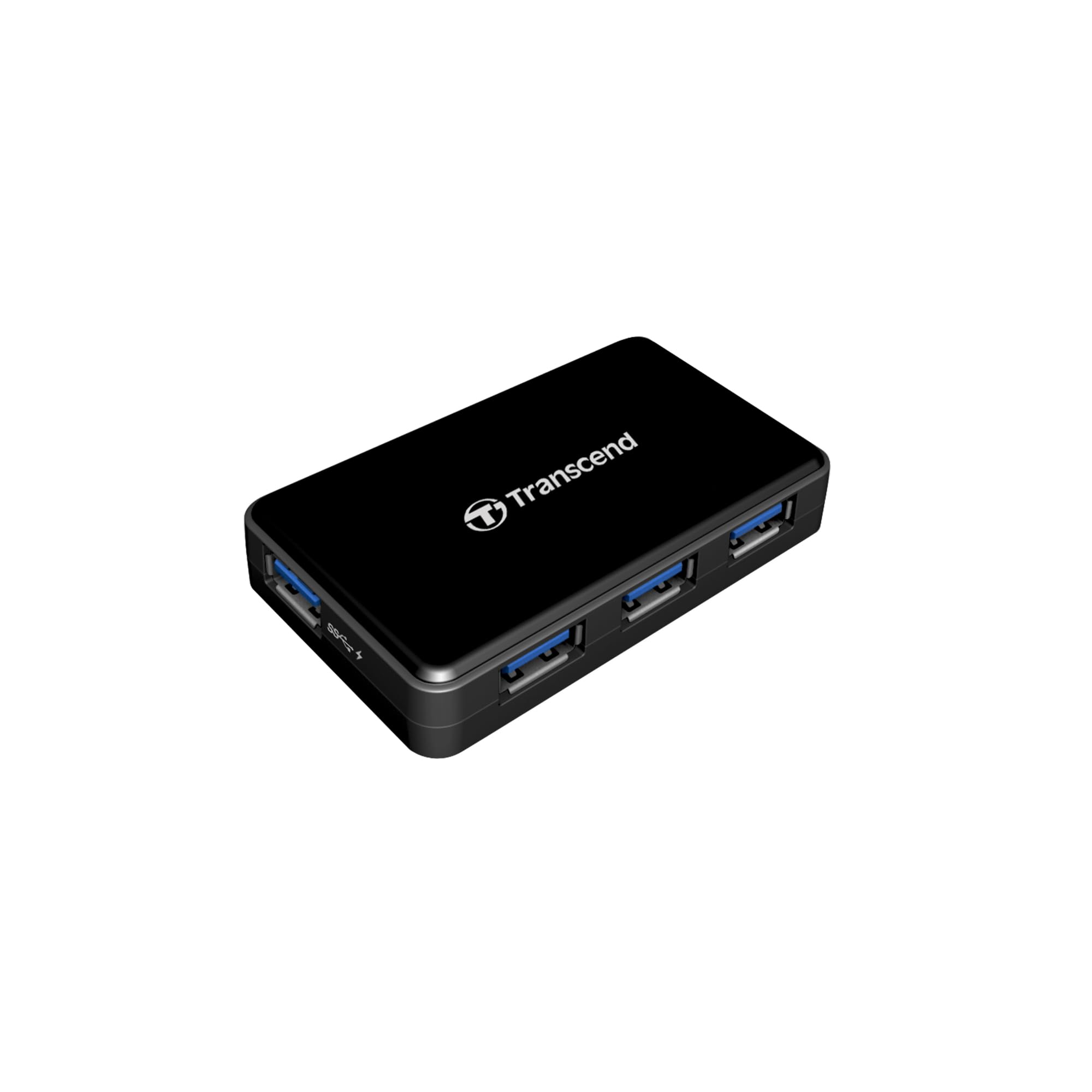
⚡ Power Up & Plug In: The Ultimate USB Hub for the Connected Pro
The Transcend TS-HUB3K USB 3.0 4-Port Hub expands a single USB 3.0 port into four, including a dedicated 2A fast charging port. Its compact, lightweight design is perfect for ultrabooks and Raspberry Pi users, delivering high-speed data transfer and rapid charging across Windows, Mac, and Linux platforms.


| ASIN | B005D69QD8 |
| Batteries | 1 A batteries required. |
| Best Sellers Rank | #27,309 in Computers & Accessories ( See Top 100 in Computers & Accessories ) #37 in Computer Networking Hubs |
| Brand | Transcend |
| Color | Black |
| Computer Memory Type | DDR3 SDRAM |
| Customer Reviews | 4.1 4.1 out of 5 stars (673) |
| Date First Available | October 31, 2012 |
| Is Discontinued By Manufacturer | No |
| Item Dimensions LxWxH | 3.1 x 0.6 x 1.95 inches |
| Item Weight | 1.6 ounces |
| Item model number | TS-HUB3K |
| Manufacturer | Transcend Information |
| Number of Processors | 1 |
| Operating System | Linux, Mac, Windows |
| Product Dimensions | 3.1 x 0.6 x 1.95 inches |
| Wireless Type | 802.11a |
S**D
ATTENTION ALL RASPBERRY PI USERS!!! THIS IS THE 1!
100% Compatible with Raspberry PI 2. Will power the Pi and anything attached to it. I like the fact that it is usb 3... if I need it for something other than Pi or if Pi gets an upgrade...its ready! NOTE: If you try to power the pi and the hub separately: If you power on the hub 1st the Pi will not boot. If you boot the Pi 1st or power the Pi off the hub everything works as you would expect. If you do not have a USB to Micro Usb cable it would be a good idea to get one. Also the hub is slightly smaller than the Pi the 2 fit nicely together.
M**X
Powerful USB 3.0 Hub
This thing is great. It has 4 USB 3.0 slots for your devices. Another one is on the back for connecting to your computer. This has lots of power. I am able to charge my Kindle Fire, Galaxy S3, and run my external HDD at the same time. The USB 3.0 cable that is supposed to run to your computer is pretty short. About 1.5-2ft, so I ended up swapping it out with another one I had. This thing will work without the included power adapter, but it will only be able to run off the power from your computer. I was wondering why it wasn't charging even though I could see my devices, it turned out the power fell out of the back. I would definitely recommend this product.
S**N
Good quality.
Powers a Raspberry PI which is what I bought it for! Works great, still have it months later.
J**Z
Fast hub, Great looking - supplied cable too short!
Just what I needing for my desktop setup. I only have 2-USB 3.0 ports on the back of my tower, so I use this to supplement my need for additional 3.0 ports. The port on the side is supposed to be a "powered" usb port, however it would not charge my iPad for some reason. Haven't tried anything else. All 4 ports are 3.0 speeds (tested). NOTE: THIS COMES WITH A SHORT USB3 CABLE! So you may what to buy a longer cable.
A**.
Great little hub
Have had this hub for 5 months and can say it is serving me quite well on my Mac. Has three regular USB 3.0 connections and 1 Super Speed (fast charging) connection. I use the Super Speed for charging iPod, iPhone and iPad mini. Sometimes the computer will argue that the device is not being charged, but I look at the device and it shows the charging symbol and does indeed charge at a reasonable rate. I am using it powered and have used all four at the same time-no problems. One port is dedicated to an external drive (time machine), and the other three are used intermittently. I have noticed that once in a great while, probably because of the external drive, that it has lost connection. But it does not happen frequently and I think that it might be that the drive, in an Anker enclosure (which is great), might be going into hibernation or something. Again, happens maybe once a month if that. The fit of the connections is suburb, very secure. It is nicely sized (small) and the ports light up with a soft blue LED when a connection is active. Transfer speeds seem comparable to plugging directly into computer USB slots i.e. Fast!
G**D
Barely works with USB 3 flash drives
This was one of my most frustrating purchases ever. The first hub worked fine with USB 2 flash drives, hard drives, and a scanner. However, it wouldn't recognize any of the USB 3 flash drives I tried. The light on the hub wouldn't illuminate to indicate a connection, and the drive would never show up on the computer. I tried different cables between the hub and the computer, tried the USB 3 flash drives on different computers, and so on. When I didn't use the hub, everything worked fine. As I was just beyond the return period, I contacted Transcend. I went through some troubleshooting steps with them and tried a firmware update they suggested. Nothing helped, and they concluded I had a bad hub. I went through the RMA process. It took nearly a month from the day I contacted Transcend support, went through their troubleshooting steps and returned the bad hub, to the day I received a replacement hub. The replacement hub was also faulty! This time, the drives showed up on the computer and the hub lit up to show a connection. I was able to copy data from USB 3 flash drives (Mushkin and Patriot brands) without a problem. However, I could not copy data to those drives when connected to the hub. The copy process would never complete and it would hang. Formatting one of the drives failed to finish when connected to the hub, when I was making sure the flash drive wasn't bad. I concluded that I had received two bad hubs in a row. I was fed up and contacted Amazon on the off chance that they could help me. I did not want to go through another RMA with Transcend and I didn't want another replacement, as these hubs are obviously shoddy. I just wanted my money back. I am very appreciative that Amazon understood my frustration and allowed me to return the faulty replacement, despite being outside the standard return period. I had done all I could with Transcend, and I got two faulty products in a row. I have no problem with Transcend's support, but I cannot recommend this USB 3 hub based on my experience. It seems every single USB 3 hub on the market has a notable number of bad reviews. I don't know why no one has succeeded in making a reliable USB 3 hub.
M**D
Unfortunate that it can't operate without using the DC power adapter.
It's OK but it's unfortunate that it can't operate without using the DC power adapter. I wish someone would have mentioned that.. I tried several USB flash drives and most of them don't show up at all unless you connect the external power adapter. One out of three of my USB flash drives was detected. The one that worked only ran at USB 1.0 speeds though and it said to connect a USB 2.0 hub to get max speed (that's a funny message for a USB 3.0 hub). After connecting the power adapter then it worked as specified. I have some other USB hubs that work fine for most things using power from the computer USB ports directly. A USB 2.0 hub from Dlink works fine that way and a new USB 3.0 hub from Plugable can do it too. On this one, the hub itself gets detected but then it can't power other USB devices without plugging in the external power cord. So, it's ok as long as you remember to bring the power adapter cord along.
P**O
Uno dei più compatti e di qualità garantita. fornito anche di piccolo alimentatore con presa americana ma corredato di un adattatore di qualità in confezione separata. Funziona a dovere con Mac
M**E
this usb hub works well with windows 8.1 and have allowed for me to connect multiple devices to my computer as well as multiple printers as well
E**A
I bought this hub to use with my tablet, mobile phone, battery tank, etc.., to avoid carrying out all the chargers for each device when I am travelling, but also to use it as a dock station for my tablet when I am at home. The quick charge port charge my thinkpad 8 in reasonable time, and also work as hub with the Y cable (a cable for this specific tablet to use the usb port to charge and to connect a device at the same time). No problem if I use all the ports with all kind of gadgets (keyboard, mouse, usb 3.0 memory, usb 3.0 ethernet adapter, hard disk 3.0, an extra usb 2.0 passive hub, etc.). The device is able to work without the external power supply too, of course we have to be aware that some devices requires more power like hard disks, but I haven't had problems. I tried also to connect the Y cable to power the tablet and at the same time to use the hub, and although it works for a few seconds, it is very unstable and keeps loosing connection to the devices (probably due to lack of power), just for curiosity, actually I prefer to connect the Y cable to the tablet charger and leave a port free to use with other devices. I have used it for two months, if somebody ask me I would recommend this product.
S**E
J'ai hésité avant de m'en acheté un mais ça devenait nécessaire pour moi. Je voulais absolument un hub 3.0 performant et je ne suis pas décus : même avec plusieurs appareils connecté en 3.0 dessus, le débit est maximal !! ( le même que celui directemnt branché sur mon ordinateur en tout cas soit environ 100MO/s (cela dépend de vos matériels aussi bien sur)). Il y a un adaptateur secteur qui doit être utilisé si trop de machines gourmandes sont branchés sur le HUB mais cela n'est pas obligatoire si ce sont pour 1 DD externe autoalimenté + clé USB par exemple (par contre 2 DD autoalimenté ne passe pas ....). Autre chose dont je n'étais pas au courant et qui est la bienvenue : lorsque le HUB est branché au secteur, il peut recharger même lorsque l'ordinateur est éteint un appareil grâce à son port spécifique chargement. Le HUB est très petit et peut être facilement transporter. Très belle finition. 4 ports + 1 port dédié au branchement à l'ordinateur. Je recommande.
B**N
Buscaba un HUB USB 3.0 con alimentación para que no pierda potencia al conectar dispositivos. A mí me ha venido con el AC Europeo por lo que no he tenido ningún problema en ese aspecto. Curiosamente, el puerto de conexión del lateral es capaz de cargar un Tablet/iPad y funciona tanto con el ordenador conectado como apagado, por lo que siempre puedes dejar el teléfono o el tablet conectado al HUB en lugar de a otro enchufe. (Con el ordenador encendido, para que cargue el iPad necesita un Driver que se descarga desde la web del fabricante). Por ponerle una pega, el cable que lo conecta con el ordenador resulta rígido y corto.
Trustpilot
Hace 5 días
Hace 1 día