
🎬 Elevate your home theater game with Akia’s massive, crystal-clear 125" cinematic canvas!
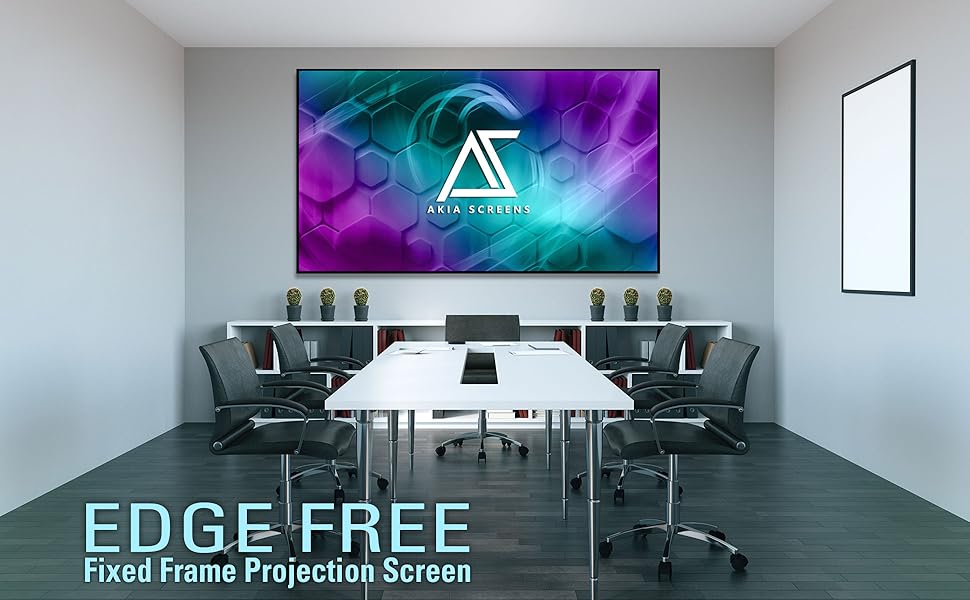
The Akia Screens 125-inch Edge Free Fixed Frame Projector Screen delivers a premium home theater experience with a massive 16:9 aspect ratio display optimized for 4K, 8K, and 3D projection. Featuring a CINEWHITE UHD-B matte surface with 1.3 gain and a 180° viewing angle, it ensures vibrant, accurate colors certified by the Imaging Science Foundation. Its lightweight, easy-to-assemble aluminum frame includes all mounting hardware and supports both wall and ceiling installation. Designed for indoor use, this screen is compatible with standard and short-throw projectors and comes with a 1-year warranty plus lifetime US-based tech support.







| ASIN | B07NW38MZ5 |
| Best Sellers Rank | #225 in Projection Screens |
| Brand | AKIA SCREENS |
| Customer Reviews | 3.9 out of 5 stars 577 Reviews |
| Display Dimensions | 61.3 x 109 inches |
| Enclosure Material | Fiberglass |
| Global Trade Identification Number | 00851906008054 |
| Item Dimensions W x H | 109.9"W x 62.2"H |
| Item Height | 62.2 inches |
| Item Weight | 20 Kilograms |
| Manufacturer | Akia screens |
| Material | Fiberglass |
| Mounting Type | Wall Mount, Ceiling Mount |
| Operation Mode | Manual |
| Product Dimensions | 109.9"W x 62.2"H |
| Screen Dimensions | 61.3 x 109 inches |
| Screen Finish | Matte |
| Screen Surface Description | Matte |
| UPC | 851906008511 851906008054 |
| Unit Count | 1 Count |
| Viewing Angle | 180 Degrees |
M**A
Great Screen. Take your time, and you will get a perfectly flat quality screen
I am very pleased with the final result of the 125-inch fixed frame series AKIA screen. I was able to fully assemble the screen alone. I originally was concerned that the screen material would not stretch over the frame, and was certain that I was sent the wrong size screen. I contacted customer support by phone and was given encouragement that convinced me to continue. I reviewed several videos on assembly of these type of screens that use springs and slowly but surely was able to complete the process. My setup may be different than most. I basically did a ceiling mount (Actually floated from L brackets), so the frame is about 8 inches from my wall. This was needed as I had 2 windows behind my wall that would limit the size of the screen. Previously I had a 82 inch custom build projection screen that fit between the 2 windows on the wall. I always wanted to go much bigger on the screen but originally felt that would not be possible. Here is what I finally did: I added 6 L-brackets to the top of my wall. Four of the brackets would be to support the screen using the supplied Wall Brackets. (The directions tell you to use 2 of the brackets for the top and 2 of the brackets for the bottom. I changed this and placed all 4 of the wall brackets on the top. I purchased a large curtain rod from Amazon that was adjustable from 120 to 170 inches. This Rod was simply supported on the top of the 6 L-Brackets. I also purchased 8 Theater Grade Extreme 100% Blackout Grommet Curtain Panels, 52” x 95”. 6 of the panels were black and for the ends, I used 2 red panels. This took care of blacking out the background from the 2 windows, and I was now able to have full light control in the room. I was able to make 4 custom metal bracket adapters that I painted flat black, which allowed me to mount the screen to the L-Bracket and wall mounting brackets to float the screen. Wire or other mounting options would have worked here as well. The screen had a tendency to angle in toward the wall slightly. For this reason, I placed 2 additional L-Brackets at the bottom of the screen hitting the Frame so that the screen was now perfectly vertical. The curtain panels completely hide all brackets and the screen has a nice floating look. I am considering adding 2 4x4 blocks cut to size from floor to the bottom of the screen to relieve any pressure on the bottom of the screen. In all honesty, I am not sure this is even needed as the frame this screen is supported on is very heavy duty, and I doubt any sagging would occur over time. Overall, I am very happy with how this has turned out and I believe the screen is of exceptional quality and a very good product. The only issues I had are as follows: Tension Rods: Horizontal rods, were fine with proper overlap. The 2 Vertical rods were too short. The rod length just matched the length of the outside holes of the fabric. This result on one of the sides tearing through the mounting hole. I ended up having to purchase 2 brass rods of the same diameter to get some overlap for the springs to attach to the frame. While nowhere in the manual is this mentioned, I found it much easier to mount the screens with the spring oriented in a certain direction. One end of the spring seems to make a perfect half circle (Better for tension rod), and the other end, is less angled, and that end seems to more easily mount to the metal frame. Also, I found that in many cases it was easier to first start the spring by attaching it to the frame, and then pull it over through the tension rod hole. The supplied Allen wrench was not of the greatest quality. It was starting to strip as I was tightening the screws. I switched to a much higher quality Allen wrench I had, which greatly improved my ability to tighten down all screws without slippage or striping. Overall, I am very pleased with the result. It is a bit of work, and my fingers are still a bit numb from stretching the springs into position, but the supplied tool does get the job done.
M**O
Fantastic Screen
I bought this screen as I moved to a new apartment and had to set up my projector in essentially the brightest room imaginable without much ability for light control. My previous screen was a Silver Ticket 100" Grey screen and I am using a Xiaomi UST laser projector for reference. Akia is the same build and material as an Elite screens but at a better price point on amazon. The silver ticket screen is great for its price point but this screen is a significant improvement. The main thing to keep in mind is that the CLR3 material will not magically reduce wash-out in a nonlight controlled room. In the daytime the screen is very washed out which is annoying but a realistic expectation when using a projectors in a typical living room. The material does not do much to block out horizontal light from the windows. The screen really shines, however, n medium to low light situations. The contrast, blacks, brightness, and reduced glare blow away the silver ticket screen. The living room lamp no longer blows out the blacks as before. The screen material almost completely eliminates bounced light to the ceiling which is a major contributor to maintaining the image contrast. It also makes this screen appear more like a huge TV than a typical screen with light scattering everywhere. The viewing angle is excellent. Packaging was done well. The materials are well organized and the metal is smooth without sharp edges. Set up is not difficult but boring and time consuming. Two people are recommended but I did it solo without much difficulty. The screen is not heavy but I would recommend having another person assist you in hanging it up as it is very large and awkward to hold. In terms of mounting the screen the instructions and videos on Akia's site are not useful. If you have not mounted a projector screen before I would strongly suggest you take your time to plan it out. You have limited ability to manipulate the image position/size on a UST than on a standard projector. A couple of laser levels, painters tape to mark off borders, measuring tape, ruler, and a level were all necessary for me to get the perfect location on the first try. If you mess up the brackets can be positioned slightly higher or lower and the screen can slide horizontally. I used the included drywall anchors which were fine.
I**G
Overall good CLR screen for UST projector
I had been projecting my Samsung LSP7T onto a plain white wall for a couple months while researching ALR/CLR screens for ultra short throw projectors. The picture quality was good, but very washed out during daylight hours. The projector is being used in a living room with 12' ceilings and 9' windows so it was no surprise, hence the need for a UST screen. I wasn't prepared to spend $2K+ on the higher tier options, but didn't want to go with entry level either. From my research, Akia Screens are produced by Elite Screens, and at $549 for the 103" it seemed like a good compromise. Bought it, built it in about 2 hours, hung it, and am pleased overall. It is tensioned all around using small springs to keep the screen perfectly flat. Make sure you alternate opposing sides as you put the springs in. If you've ever put together a trampoline for kids, it's the same theory. Put on spring on, then put one on the exact opposite side. This will keep the tension even. I actually did top middle and bottom middle. Then left middle and right middle. And worked my way out from there. Figured it was worth the extra time and effort to ensure a perfectly flat surface with no ripples. In the end, maybe it was overkill, but the results were perfect. Daylight viewing is great for bright content like sporting events. Not so much for movies especially with dark scenes. The black level is simply not good enough to overcome the ambient light from my large windows. To be fair, I don't think this is the fault of the screen of projector. The blacks can only be as dark as the viewing surface and the daylight coming in at screen level can't be overcome. However, I am pleased to be able to watch sports in good quality in the middle of the day with no blinds drawn and windows wide open. At night or with light control is where the screen really shines. It improves the contrast and sharpness against projecting on a plain white wall. Movies really pop and I have to turn down the brightness and contrast on the projector. The only reason I'm giving the overall rating four stars is the instructions to mount the screen are minimal at best. I measured thrice and drilled once, but still had to use the adjustments on the mounting brackets to make the screen fit perfectly without using image adjustments on the projector. You want to avoid image correction as much as possible for the best possible image and to prevent oversplash of light outside the borders of the screen.
S**.
Warped during install
Followed the provided instructions, which were barely comprehensive, but was able to follow them step by step and the screen was warped from the middle. Issue seems to be stemming from the spring install, has to be done in a specific order all of which were followed. After install ites been about 10 months and the screen is decent, it does block the ceili g light, although is dims the laser projector and its colors which already suffer deficiency compared to soemthing like an oled so it hurts the hdr and dolby vision making it incredibly dim. But the warped center and there is a frame thats ridiculously flimsy, the wall mounts are terrible quality as well. Everything less the screen are of very poor quality, including the provided instructions. I would NOT purchase again, and i recomend wholeheartedly against buying this product.
P**R
Amazing Value for Entry Level Screen
This is my first foray into home theater and I could not be happier. I got the silver ALR/CLR 100" version, paired with the new Philips Screeneo U5 UST 4K. Setup was, well, not exactly quick, but the directions were surprisingly clear and all went off without a hitch. You do need to be somewhat handy to mount it properly; MEASURE CAREFULLY and use a level extensively if you want it to look good. Assembly was a bit exhausting as there are dozens of hooks and springs, and hanging is a two person job. That said it's surprisingly lightweight and was very easy to hang. Also there were no flaws or other damage on the screen. It comes rolled in a tube with a protective sheet against the screen side. As long as keep the screen flat on the floor with the sheet under it during assembly there's no reason there should be any damage. The picture quality is outstanding. Contrast is excellent. Picture is amazing in a dark room of course but even during the day with blinds only (still a good amount of ambient light) I could see the picture just fine. Only when I had a bright ceiling light on did the picture become a little washed out, but I didn't even have the projector on the brightest possible setting and if I were watching something bright like a football game it would've been totally fine. I truly don't get why screens should cost $1000's. Maybe it's the difference between a $100 wine vs. a $1000 wine. How many people can actually appreciate the difference, and is it truly worth it? I can't imagine how this screen could be improved, and certainly not by an order of magnitude. My only regret is that 100" was the largest size I could fit in the room. :)
D**Y
Highly Recommend!
I recently got a VAVA 4K ultra-short throw projector and was in the market for a projector screen. This was my first experience in the projector screen market so rather than going with an expensive ALR screen, I decided to go for the more budget friendly 100” edge free fixed frame cinewhite screen with Axia. The quality of this projector screen for the price I paid is amazing; it's very clear and better than I expected! It feels like in a movie theater and the modern design gives a nice look to the room. You can watch during any time of the day and the screen will still give the good colors and the image you want. And in a darkened environment, the screen performs superbly. The assembly manual could definitely use some updating as I found it challenging to follow, but being the relatively handy person that I am, I was able to assemble the screen by myself (hanging the frame is definitely a two person job though). Overall, I am quite thrilled with my purchase and would highly recommend Axia screens for those in the market for a projector screen. P.S. my furry little four legged kiddo loves watching the fish screensaver!
D**K
Can't knock it too hard as this is overall a great screen for the price
Pros: - You won't find anything in this size that's cheaper - The picture brightness and quality is excellent - No wrinkles aside from the extreme corners - Compared to other vinyl screens, the smell is quite low and goes away after 24hr. Cons: - Their assembly video is for an older model that uses riveted holes instead of the tension rods. Please post a video that uses the updated model. - Mounting hardware can only be mounted to studs on on side of the two screw tracks as studs are ~2in wide and the screw holes exceed this. I put both screws vertically aligned on opposite screw tracks and it mounted fine. - Tensioning. Oh boy this was difficult. On the second attempt, I aligned the frame down the millimeter on every corner and made sure to attach springs on opposite sides in pairs to prevent the material from shifting. Even after doing all of this and spending two hours doing it, ended up with two minor ripples in the top left and right corners. I did the suggested massaging of the corners as stated in the manual, however this did not improve it. These are fairly minor, but I feel like the company should address this. It seems the screen is ever-so slightly too small and the material is not getting pulled tight enough on the corners compared to the rest of the screen. - The middle bar needs to be better secured as even lifting the final screen from the top aluminum frame is enough to dislodge it. - The company needs to tighten the manufacturing tolerance of the black border as it's a few mm too big and is slightly wavy. Overall, while this was a pain to assemble, the results are great. Again I have to state that it's a bit unfair to knock this screen too much as for the price and size, it cannot be beat. With such a low price I think you have to ultimately accept some things.
S**R
Excellent Product in Materials, Workmanship and Packaging and best of all the Screen Material
I ordered a 135” Elite Screen for myself and a 125” Akia Screen for a friend. The Elite Screen never showed up supposedly damaged in transit and by the time they cancelled my order they ran out of stock. The Akia 125” screen was one day late and my friend decided to go another route. The Akia screen was very well packaged and no damage to the box so I decided to use it for myself. even though I wanted the larger screen. Packaging, build/material quality and instructions are excellent. If installed correctly everything fits perfectly. The screen type I received was type Z which I think stands for velvet frame with springs. Installation was very easy and springs were easy to install with the provided tool. I really wanted to install an LED light kit which the manufacturer told me was possible but, the instructions clearly state that they do not recommend the LED light kit due to the "nature of the square design”. Manufacturer replied again that it was possible to do this so I will call up their support line and find out how. The problem I see is that the frame is flat against the wall so there is no gap for the light to reflect outside the frame. I will update this review when I get this working. The Cinewhite UHD-B screen material is fabulous. I have a light controlled home theater room and am replacing an old Elite Screen with a Powergain (1.8 gain) screen material which has served me very well over the past few years. The Cinewhite is more matte like with much more uniform colors/brightness from any angle. In summary I am very happy with this purchase and the product. Akia’s website is very organized and up to date with the latest products and user questions on Amazon are answered right away by the manufacturer which is greatly appreciated. I recommend Akia Screens both for their support and excellent product workmanship. BTW: For those interested the box indicated that the Akia Screen 125" Cinewhite UHD-B was made in Vietnam
Trustpilot
Hace 4 días
Hace 1 mes



